Setting up shipping rules according to the order price can provide several advantages for certain businesses.
Firstly, if you sell inexpensive products and want to make sure the sale remains profitable, you can charge a higher shipping rate for orders under a certain price.
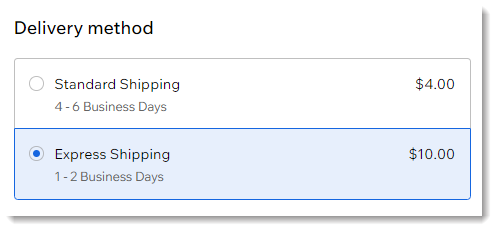
When customers check out, they'll only see the rates that apply to their order.
Setting up a rate by price rule
You can create one or more sets of price rules for a specific shipping region. For example, you can create 3 price ranges and 2 shipping options, standard and express:
Standard Shipping:
Price range 1: $8
Price range 2: $5
Price range 3: Free
Express Shipping:
Price range 1: $16
Price range 2: $10
Price range 3: Free
To set up a rate by order price rule:
Go to Shipping, delivery & fulfillment in your site's dashboard.
Select an option:
Create a new region: Click +Create Region and set up a new delivery area, then click Continue and select Shipping.
Add a rate to an existing region: Click Add Rate next a region and select Shipping.
Select Rate by price from the drop-down.
Enter a name in the Name at checkout field (e.g. Standard Shipping).
(Optional) Enter a time in the Estimated delivery time field (e.g. 2 - 4 business days).
Enter your first price range (e.g. $0 to $20).
Enter your second price range (e.g. $20 and up or add a maximum price).
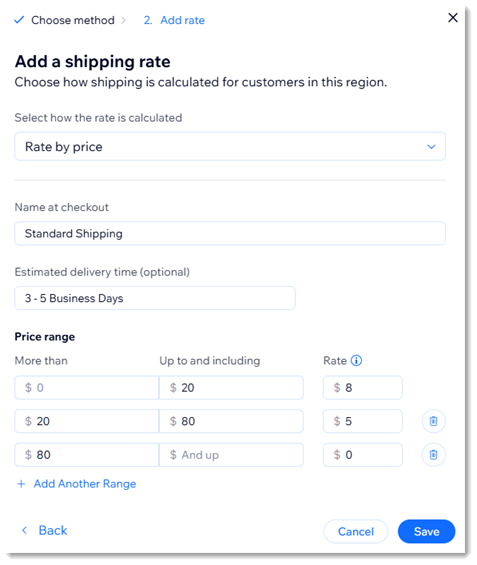
Click Add Another Range to add additional price ranges.
Click Save.
Next steps:
Click Add Rate next to the region name to set up any of the following:
An additional shipping option (e.g. express shipping)
Local delivery
Pickup
Real-time USPS shipping calculations (US only)
FAQs
Click a question below to learn more.
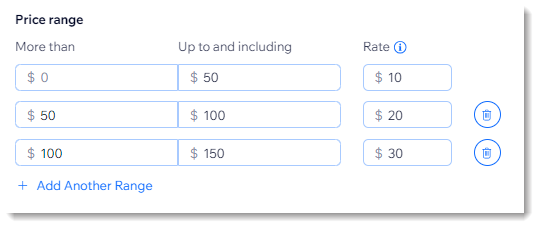
Can I create an upper price limit?
Yes. You can enter an upper price limit for a store order. Instead of the last range being a certain amount "and up", you can enter an upper limit.
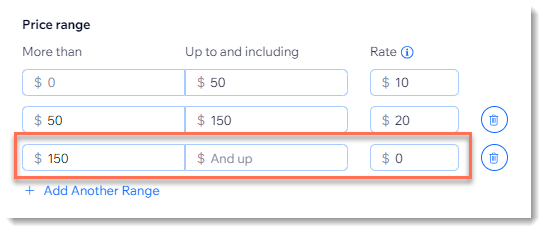
How can I offer free shipping above a certain amount?
To offer free shipping above a certain amount, enter $0 in the last range.
What happens if there's no shipping rule in a particular region?
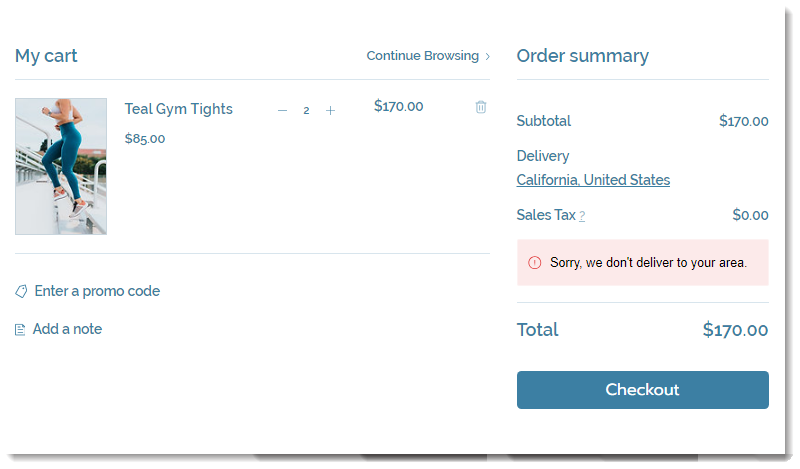
If there's no active shipping, local delivery, or pickup rule for a region, either setup in Wix or through a 3rd-party shipping app, customers from that region cannot make purchases from your store.
Let's look at an example. A merchant sets up shipping only in the US. As soon as a customer from outside of the US enters their location (in the Cart or the Checkout Page), they'll see a message indicating that the store doesn't deliver to their area.
Can I add a handling fee?
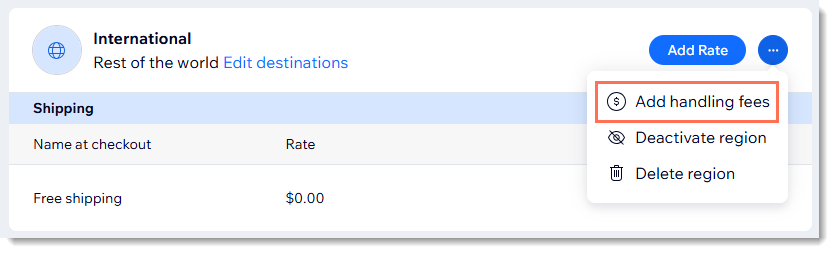
Yes. Click the More Actions icon

and select Add handling fees. Then, select the checkbox, enter the handling fee and save your changes.
What is the maximum number of price ranges I can create?
You can create up to 30 price ranges.
This article is credited to the Wix team - https://support.wix.com/ and we thank them for that!
