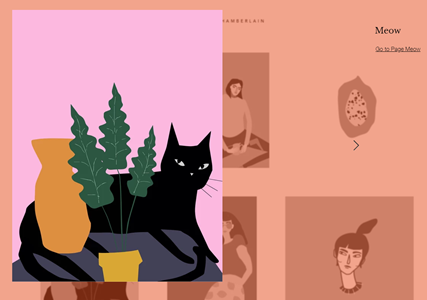
You can set your images to open in a pop-up window (expand mode) when clicked and let visitors enjoy the fine details of your gallery items.
Customize the expand mode of your pro gallery to complement your site's design and brand. Define how, when and where image information is shown and adjust design aspects such as the text style and color.
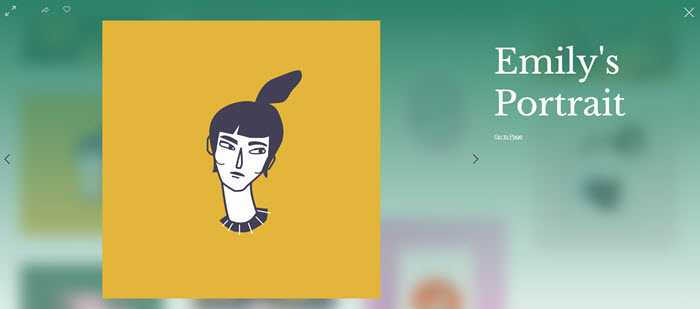
Customizing the expand mode
Make your gallery items pop in the expand mode. Choose what info to show, add background filters and gradients to your items, and allow visitors to zoom in on images.
To customize the expand mode:
Click the pro gallery element on your page.
Click Settings.
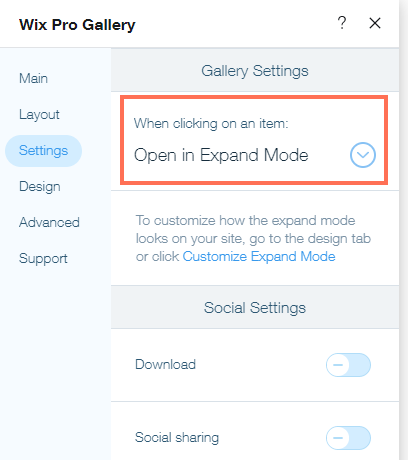
Click the Settings tab on the left.
Select Open in Expand Mode from the When clicking on an item drop-down.
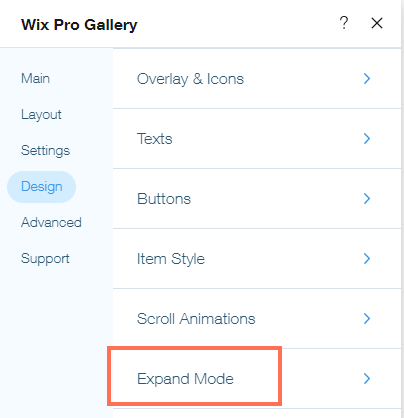
5. Click the Design tab.
6. Click Expand Mode.
7. Click Customize Expand Mode.
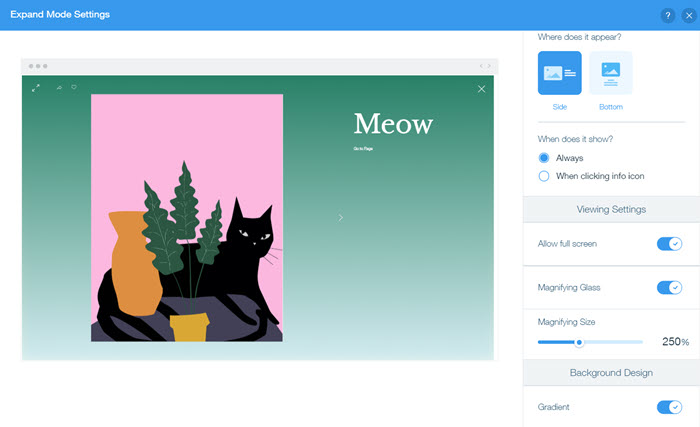
8. Customize the following settings on the right side of the pop-up:
Info Settings
Choose how the image title and description appear in expand mode:
What info is shown?: Select the checkboxes next to the info you want to display: Title, Description and/or Link.
Note: Currently, it's not possible to customize the style of the link in expand mode. If this is something you'd like to see in the future, vote for that feature.
Where does it appear?: Choose where the info should appear: Side or Bottom.
Note: Displaying info to the side of a horizontal image, may cause the image to be displayed smaller.
When does it show?: Choose when the info displays: Always or When clicking info icon.
Viewing Settings
Choose how visitors view the images:
Allow Full Screen: Enable the toggle to allow visitors to view full screen images from the expand mode.
Magnifying Glass: Enable the toggle to allow your visitors to zoom in on your image. Then drag the Magnifying Size slider to adjust the strength of the magnification.
Background Design
Customize the appearance of the expand mode's background:
Gradient: Enable the toggle to give your expand mode a blended color background and adjust the following:
Color & Opacity 1 and 2: Click the relevant color box to customize the gradient's colors. Then drag the slider to adjust the opacity of the colors.
Gradient direction: Drag the slider to adjust the angle of the gradient.
Background color & opacity: Click the color box to select a color for your background. Then drag the slider to adjust the colors' opacity.
Background Filters
Add a filter to the background of the expand mode:
Blur: Drag the slider to adjust the blurriness of the background. This filter is applied to the elements visible behind your expand mode, and is seen when your background is less than 100% in opacity.
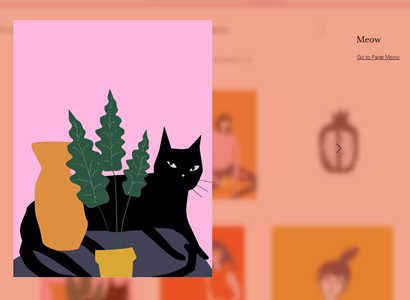
Grayscale: Enable the toggle to apply a grayscale filter. This filter is applied to the elements visible behind your expand mode, and is seen when your background is less than 100% in opacity.
Text & Icon Design
Customize the colors and fonts used in expand mode:
Icon color: Click the color box to select the icon color.
Title style: Click the drop-down to select a font style and click the color box to select a color for the title.
Description style: Click the drop-down to select a font style and click the color box to select a color for the description.
Text alignment: Choose how you want to align the text: Left, Center, or Right.
9. Click Done.
Tip:
Learn how to change the SEO settings of the expand mode.
FAQs
Click a question below to learn more about customizing the expand mode:
Can I add multiple images / videos to the expand mode of a gallery item?
Currently, it is not possible to add multiple images / videos to the expand mode of a gallery item. For example, you cannot display different angles of a painting inside the expand mode. If this is something you would like to see in the future, vote for that feature.
Can I customize the size or placement of elements in the expand mode of my gallery?
Currently, it is not possible to adjust the size or placement of elements such as text boxes and gallery items in the expand mode of your gallery. If this is something you would like to see in the future, vote for that feature.
Can I customize the navigation arrows in the expand mode of my gallery?
Currently, you can only change the color of navigation arrows in the expand mode to be the same as other expand mode icons.
Can I click the back button to close the expand mode?
Currently, clicking the back button on your browser tab returns you to the previous page you visited, and not the main gallery view. If this is something you would like to see in the future, vote for that feature.
Tip: To close the expand mode, click the Exit icon

on the top right of the gallery.
How can I change the text direction in the expand mode from left-to-right to right-to-left?
Currently, it is not possible to adjust the text direction in the expand mode of your pro gallery to be RTL (right-to-left). The default text direction is LTR (left-to-right). If this is something you would like to see in the future, vote for that feature.
Why are navigation arrows not visible on mobile?
On mobile, there are no navigation arrows in the expanded view. Instead, visitors swipe the screen to view the next gallery item.
How can I edit the Full Screen view of a gallery item?
The design of the Full Screen view is controlled by the expand mode settings. To edit the Full Screen view of a gallery item, you must edit the expand mode settings as described above.
Can I set my gallery items to loop in the expand mode?
No. Currently, it is not possible to set your gallery items to loop in the expand mode. When a visitor reaches the last item, they need to use the navigation arrows to click back through the gallery to get to the beginning.
This article is credited to the Wix team - https://support.wix.com/ and we thank them for that!
