You can adjust inventory amounts for individual products, right in the POS Register tablet. In addition, you can check inventory levels at all of your locations.
Important:
Before you start, make sure your inventory locations are set up correctly in the dashboard and on the POS tablet.
Note that setup is different depending on whether a physical location manages its own inventory or shares inventory with your online store.
Learn how to set up inventory management.
Adjusting inventory levels:
No need to go to your computer to make a change to inventory levels. You can do it in the POS tablet.
To adjust inventory levels:
Open the POS tablet.
Tap the Menu icon

at the bottom left.
Tap the Catalog tab.
Tap the product you want to update.
Select an option:
Products without variants: Enter a new inventory amount and tap Save.
Products with variants:
Tap Edit Inventory & Pricing.
Update the inventory amounts.
Tap Apply and then tap Save.
Checking inventory levels at other locations
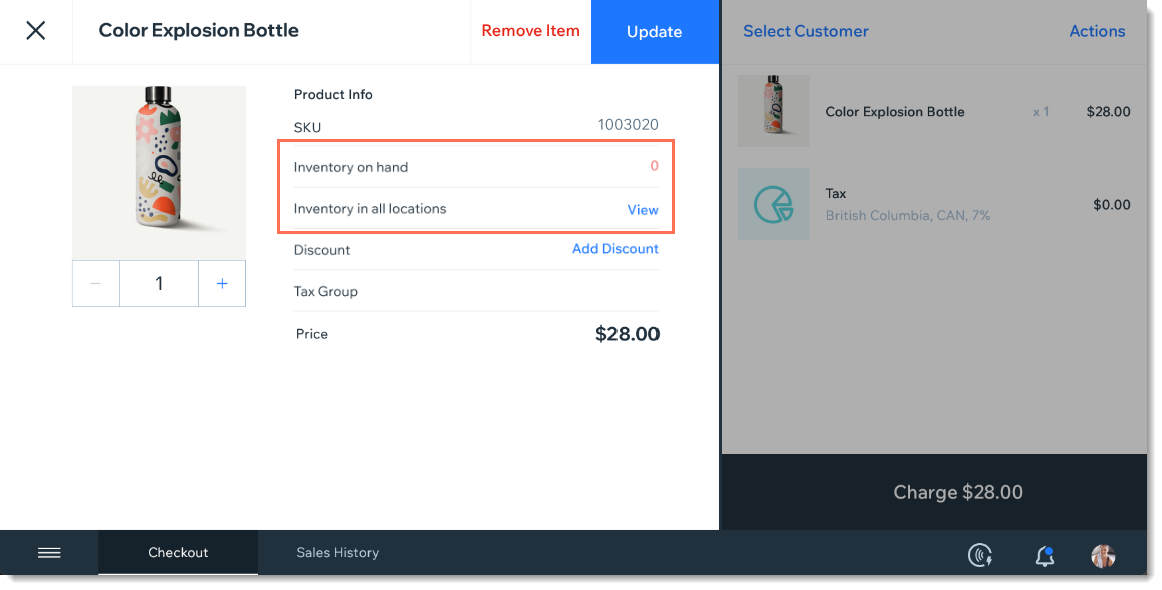
Need to check inventory levels during checkout? Tap to select the product, then tap View next to Inventory in all locations. You'll be able to check if the variant is available elsewhere.
FAQs
How can I update inventory for multiple products at once?
To update inventory levels for multiple products at the same time, go to desktop.
Learn how to:
I created a new product in the POS tablet. What locations is it assigned to?
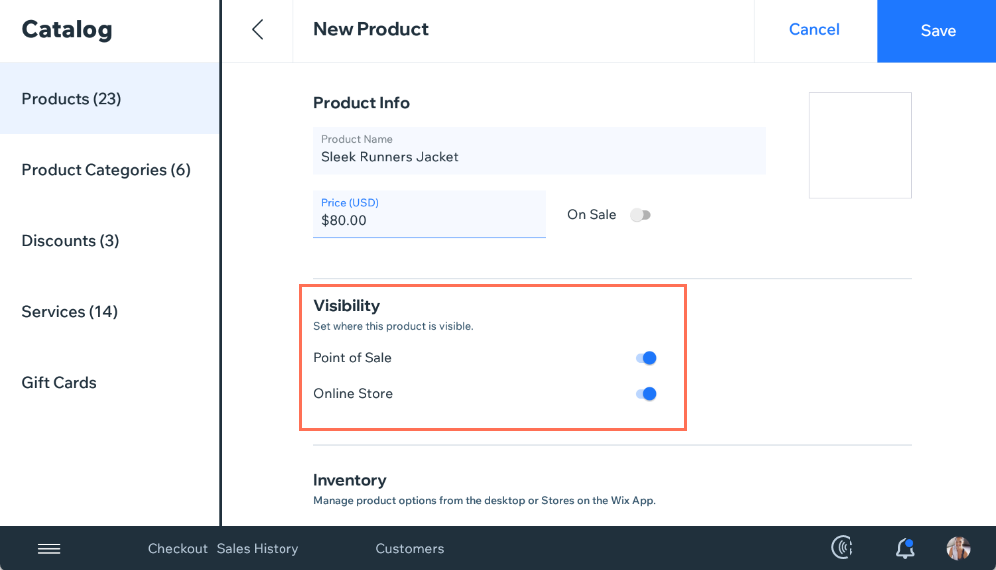
New products added through the POS tablet are automatically assigned to the location of your POS and your online store. To assign the product to additional locations, go to desktop.
Tip: If you don't want to display the new product in one of these locations, you can toggle off the visibility.
I created a new product in the dashboard. How do I assign it to my POS location?
New products added through the Wix dashboard are automatically assigned only to your online store location. You can assign that product to additional locations.
Learn how to assign a product to a location.
Can my staff members or I sell products listed as out-of-stock?
Yes. You can set who has permission to sell out-of-stock products. Learn more about managing out-of-stock inventory.
This article is credited to the Wix team - https://support.wix.com/ and we thank them for that!
