While designing your logo, you may want to visualize it with or without certain elements. You can hide and unhide elements from your logo at anytime to help you settle on a final design. If you want, you can delete them entirely.
Hiding elements in your logo
You can hide elements of your logo, so they won't be visible in your final logo files.
To hide elements in your logo:
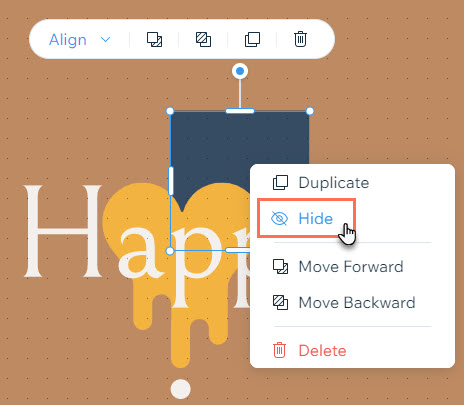
Select the logo you would like to edit.
Right-click the element in the Logo Maker.
Click Hide.
Deleting elements in your logo
If you'd prefer not to hide an element, you can choose to delete elements in your logo instead.
To delete elements in your logo:
Select the logo you would like to edit.
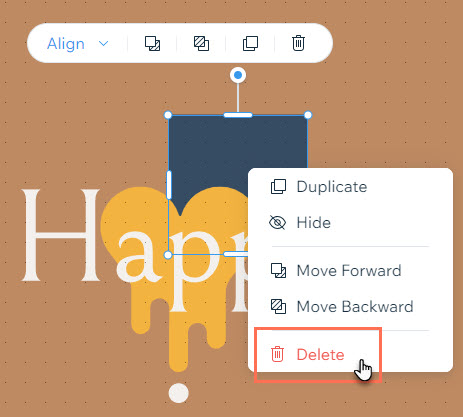
Right-click the element in the Logo Maker.
Click Delete.
FAQs
Click a question below to learn more about hiding elements in the Wix Logo Maker.
How do I unhide an element?
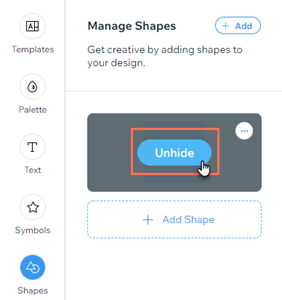
You can unhide an element at any time. Just go to the relevant tab on the left, hover over the element in the Manage panel and click Unhide.
How can I hide just a part of an element and not the whole element?
Currently, it is not possible to hide a part of an element in the Logo Maker. If this is a feature you would like to see in the future, you can vote for it here.
Shapes are always visible in white, black, monochrome, grayscale and transparent files of the logo. We do not recommend using them to cover parts of the elements in your logo, so please avoid doing the following:
Making an element the same color as the logo background to hide it.
Covering elements of a logo with shapes or icons.
Overlapping shapes and icons.
Moving elements outside the Logo Maker's borders as they will be visible in the final logo files.
Can I hide my business name from my logo?
It's not possible to hide or delete your business name from your logo.
This article is credited to the Wix team - https://support.wix.com/ and we thank them for that!
