Customize your Legend's public profile to help visitors get to know your Legend and encourage them to start meaningful conversations. These details are the first thing people see, so it's your chance to showcase your personality, expertise, and story.
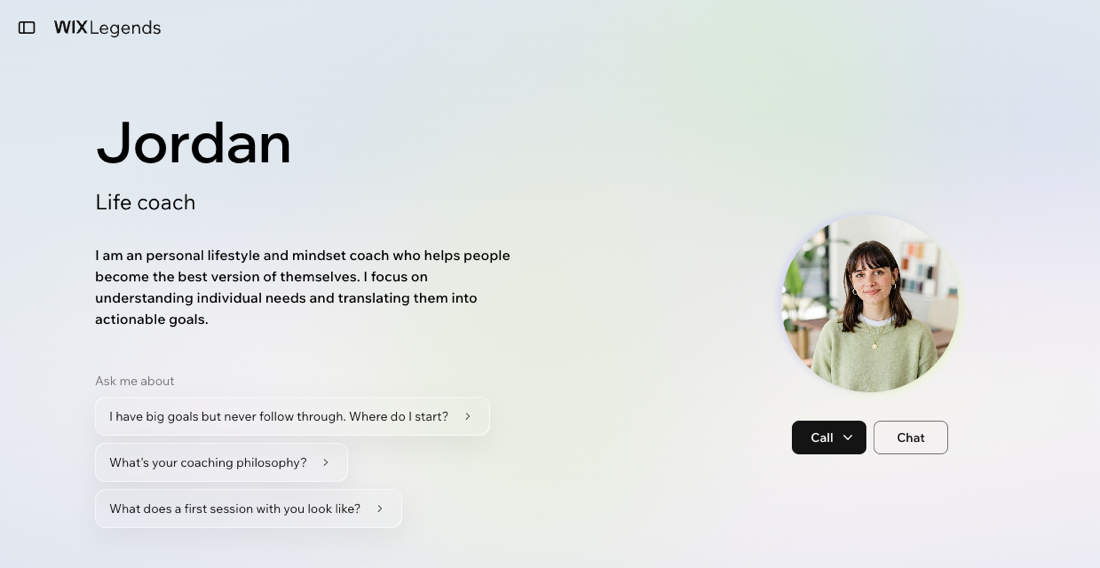
Customizing your Legend's public profile
Fill out your Legend's public profile to make a strong first impression. This information is visible to anyone who visits your Legend's link.
Tip:
You can check how your Legend appears to others at any time by visiting the Preview page.
To customize your Legend's profile:
Desktop browser
Click My Legend on the left.
Click Edit Profile.
(Optional) Click the Edit icon

to upload a photo or adjust your existing photo.
Customize each field:
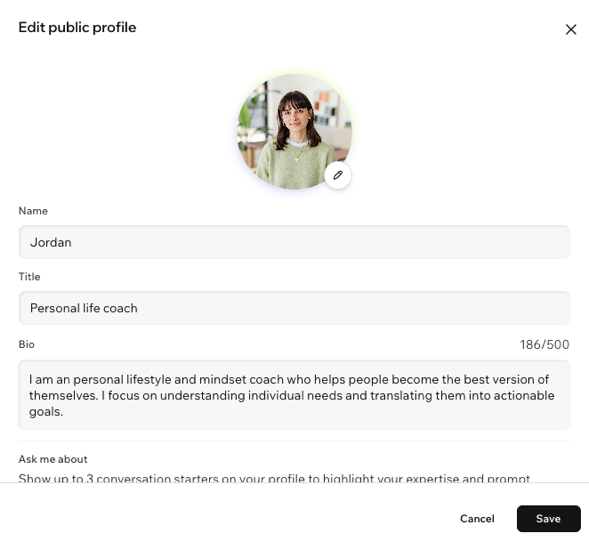
Name: Set your Legend's display name. This is how your Legend will introduce itself and how visitors will address them.
Title: Add a short label that describes what you or your Legend do (e.g. "Life coach" or "Fitness trainer"). Your title helps visitors understand your area of expertise at a glance.
Bio: Write an introduction that highlights your story, values, and what makes your approach unique. A thoughtful bio builds credibility and invites curiosity.
Ask me about: Add up to 3 conversation starters that appear on your Legend's public profile to prompt visitors to start a conversation. Drag an item to reorder it, or click the X to remove it.
Click Save.
Mobile browser
Tap My Legend at the top.
Tap Edit Profile.
(Optional) Tap the Edit icon
to upload a photo or adjust your existing photo.
Customize each field:
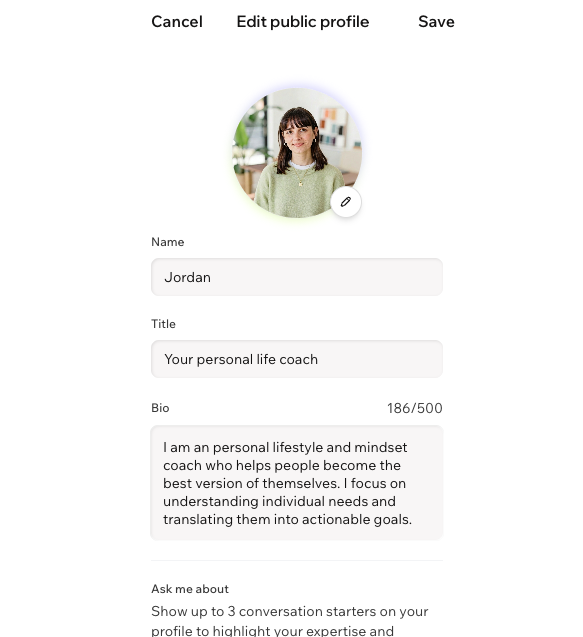
Name: Set your Legend's display name. This is how your Legend will introduce itself and how visitors will address them.
Title: Add a short label that describes what you or your Legend do (e.g. "Life coach" or "Fitness trainer"). Your title helps visitors understand your area of expertise at a glance.
Bio: Write an introduction that highlights your story, values, and what makes your approach unique. A thoughtful bio builds credibility and invites curiosity.
Ask me about: Add up to 3 conversation starters that appear on your Legend's public profile to prompt visitors to start a conversation. Drag an item to reorder it, or tap the X icon to remove it.
Click Save.
FAQs
Click a question below to learn more about customizing your Legend's profile.
Can I change these details later?
Yes, you have full control to update your Legend's public profile at any time. Refresh your profile whenever your brand, business, or expertise grows.
What makes a great bio for my Legend?
Write a bio as if you're greeting someone new at a networking event. Highlight your strengths, passions, and unique story. Consider mentioning your mission or how you want to help people.
This article is credited to the Wix team - https://support.wix.com/ and we thank them for that!
