You can delete the Wix Hotels by HotelRunner app at any time if you no longer need it. Deleting the app does not delete any of your property settings and reservations settings made in the site dashboard, but it does prevent guests from making new reservations.
If you decide to reinstall the app, your previous settings will appear in the dashboard.
Important information about deleting the Wix Hotels by HotelRunner app from your site:
You lose any custom designs you created in your editor. If you reinstall the app, the pages in your editor revert to default designs.
You lose all add-ons. If you reinstall the app, you will have to reinstall these add-ons manually.
You lose any custom page name or URL you created for the Hotels page. If you reinstall, these both revert to the default name and URL.
To delete the Wix Hotels by HotelRunner app:
Wix Editor
Click Add Apps

on the left side of the editor.
Click Manage Apps.
Click the More Actions icon

next to Wix Hotels.
Click Delete.
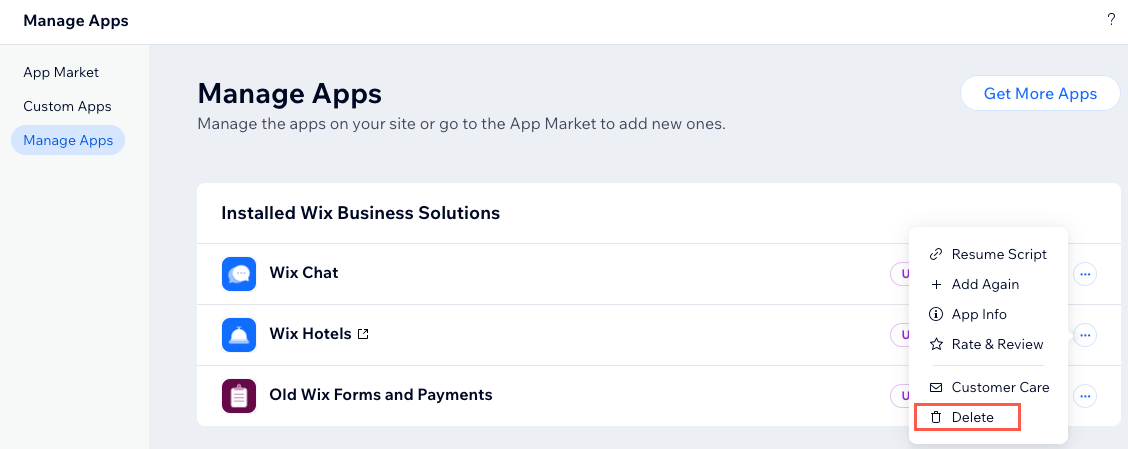
Choose your reason for deleting the app and click Delete App to confirm.
Click Publish at the top right.
Studio Editor
Click App Market

on the left side of the editor.
Click Manage Apps.
Click the More Actions icon
next to Wix Hotels.
Click Delete.
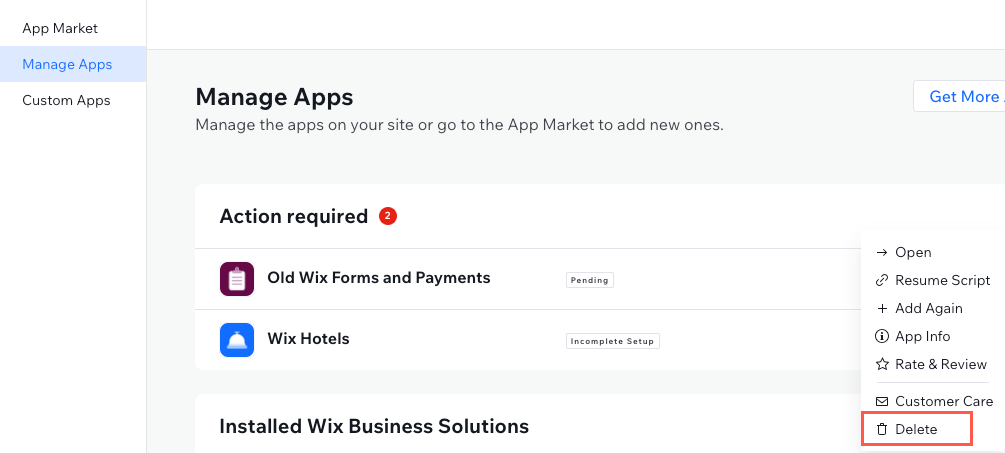
Choose your reason for deleting the app and click Delete App to confirm.
Click Publish at the top right.
This article is credited to the Wix team - https://support.wix.com/ and we thank them for that!
