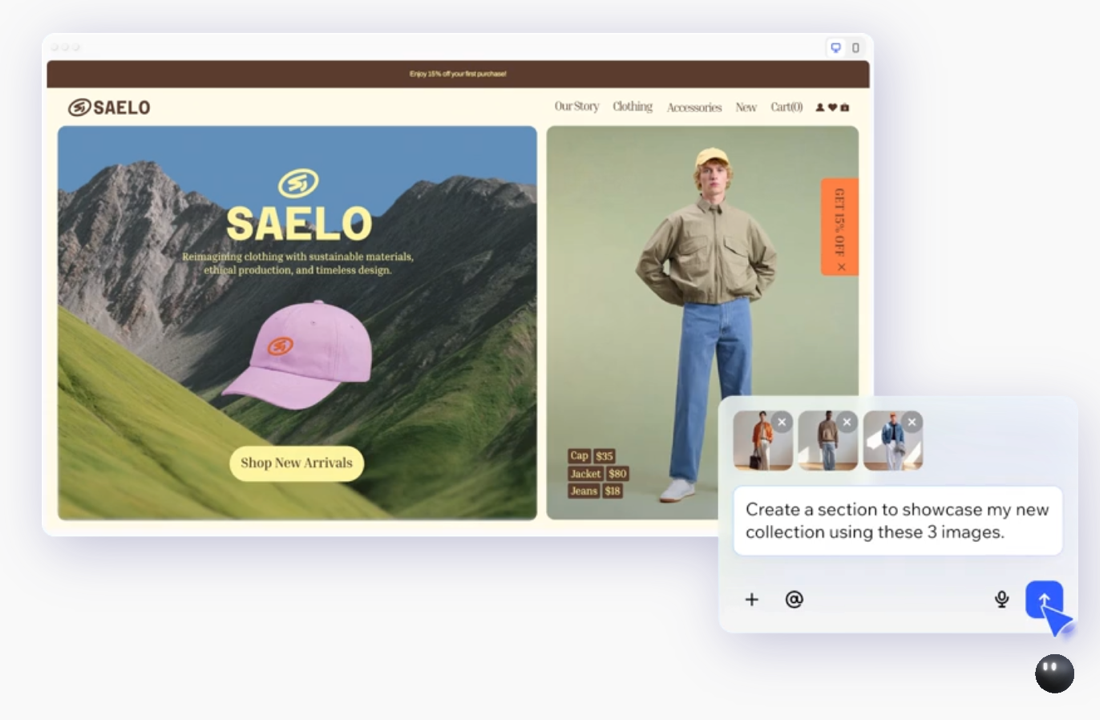
Building your site in the Wix Harmony Editor is all about combining your ideas with the power of AI. Aria, your built-in AI partner, helps you build and design your site by creating content and providing helpful suggestions and inspiration. With Aria, bringing your vision to life becomes faster, simpler, and a lot more intuitive.
Important:
Aria is powered by AI and as such may produce unexpected or inaccurate results. Always review Aria’s suggestions or changes before finalizing your site.
Accessing Aria
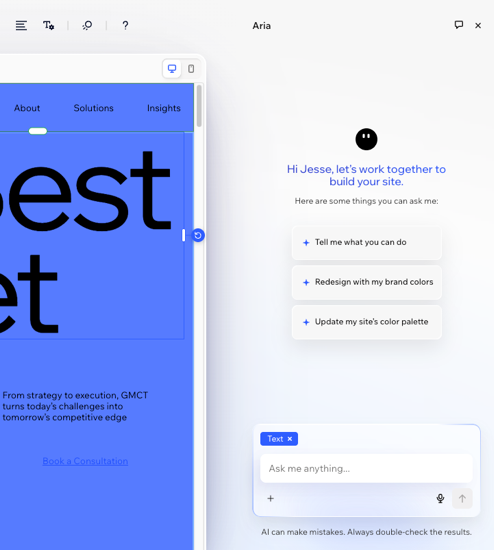
You can access Aria by clicking Ask Aria at the bottom right of the editor. Simply start chatting whenever you have a task, idea, or question related to your site.
When using Aria, you can:
Send a message: Type your message in the text box or click the Voice Control icon

to speak.
Share files and images: Click the Add icon + to upload images or files from your computer, or add media from your Media Manager.
Start a new chat: Click the New chat icon

to start a conversation on a different topic.
Tag an element: Select an element in your editor and automatically tag it in the chat, so you don't need to explain which element you're working on. Just send your request and Aria will know exactly what to update.
What can Aria help me with?
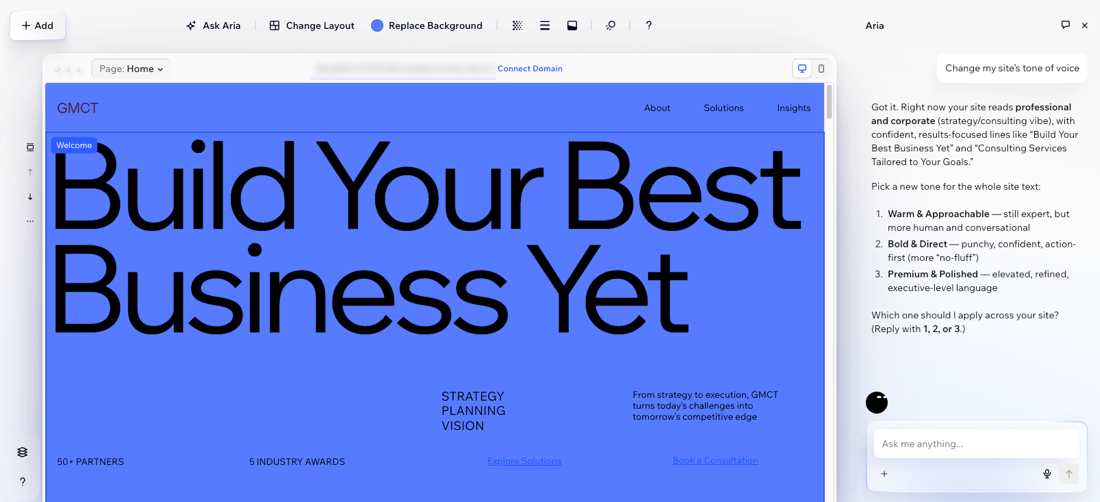
Aria covers a wide range of site-building and management tasks, so you can move from idea to execution faster and with clear guidance. She knows your site and your business, so she can personalize answers and suggestions for you.
Aria can help you:
Design and structure your site: Create, edit, and organize pages, sections, and layouts to fit your needs. Aria can also add and edit elements on your site, helping you shape each page the way you want.
Personalize your site's look and feel: Update your brand with consistent colors, fonts, and elements across your site.
Generate and update content: Write or refine text, generate and enhance images, and manage your site’s media.
Enhance and manage business features: Add or update apps, and manage site settings right in the chat.
Get quick guidance and answers: Ask questions about site features, settings, SEO, or how to complete specific actions.
Tip:
You always have full control of your design decisions. Anything Aria can do, you can also adjust or edit manually.
Using Ask Aria
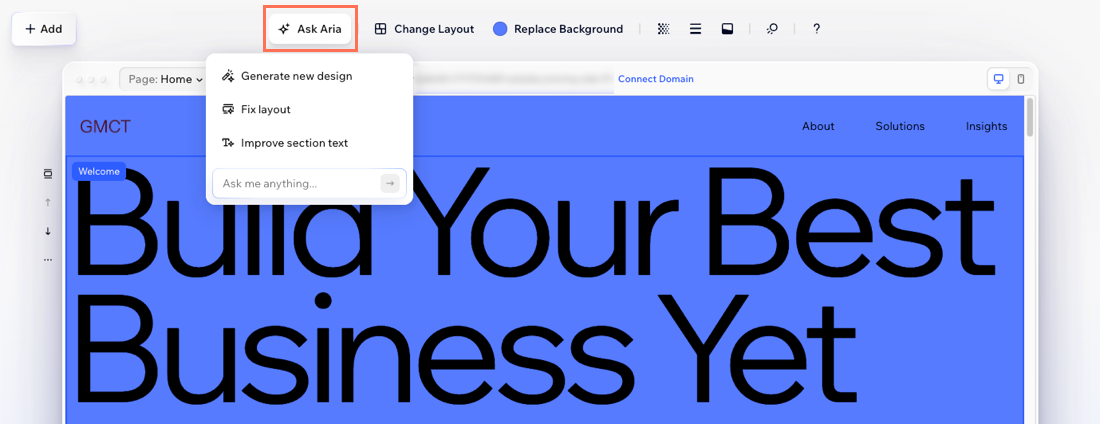
Alongside the main chat, you also have the Ask Aria option on the action bar. Whenever you’re editing elements like text, images, or sections, Ask AI provides instant suggestions specific to that element.
For example, if you're editing a text box, you'll get options to make the text shorter or longer, rewrite, or change the tone. If you're editing a section, you can generate new section layouts or fix spacing with just a click.
FAQs
Click a question below to learn more about working with Aria.
Can Aria manage my dashboard settings?
In the Wix Harmony Editor, Aria focuses on helping you build and design your site. However, she is also available in the dashboard to help you manage your site. If your request changes in your dashboard, Aria will direct you there. Learn more about Aria in the dashboard.
Can I use Aria when editing the mobile view of my site?
Currently, Aria is only available when editing the desktop view of your site. When switching to mobile, the option to chat with Aria does not appear. In addition, keep in mind that Aria can only make adjustments to your site's desktop version, which means you'll need to edit your mobile view manually.
What should I know about using AI-generated content?
Before using any AI-generated content, we recommend double-checking that you have the right to use it. Review the potential risks of using generative AI tools.
What's the difference between Aria and Ask Aria?
Aria is the general AI chat in the Wix Harmony Editor. You can send any request or question to the chat, so it's useful for getting answers, ideas, and explanations across many different topics.
The Ask Aria button on the action bar is context-specific, giving you suggestions for site editing and design changes based on what you're working on. When you click on an action, it sends the request to Aria and then Aria immediately works on the change for you.
Aria opened a My Business panel at the top navigation bar. What is it?
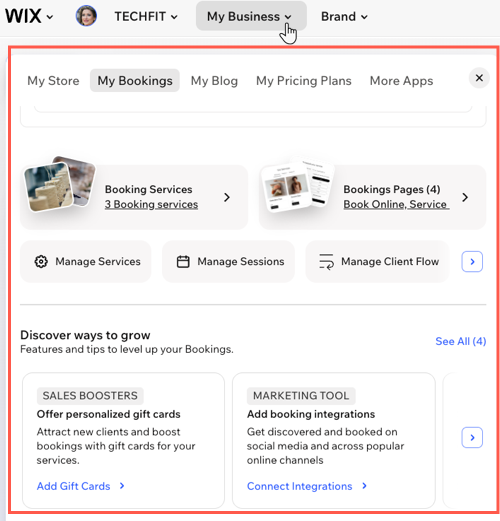
The My Business panel is a shortcut to your installed business apps and their most common actions, available directly from the editor. When you ask Aria about a business-related task such as how to create a blog post, Aria may open the My Business panel so you can take action. Learn more about every part of the top navigation bar.
What can I do from the My Business panel?
The panel shows quick actions based on your installed business apps. For example:
Wix Blog: Create Post, Manage Blog
Wix Bookings: Manage Services, Manage Sessions, Manage Client Flow, Share Links
You can also explore suggestions under Discover ways to grow, and click More Apps to see your installed business apps.
Create with Wix Harmony:
Experience the next generation of website creation with Wix Harmony. Flow freely between prompting your AI agent and precise drag and drop, so creating feels as natural as thinking.
This article is credited to the Wix team - https://support.wix.com/ and we thank them for that!
