Think of your footer as your site’s signature at the bottom of every page — it’s the perfect spot for contact details, copyright, a custom menu or social links. Add elements, resize to make more room and design the footer as needed.
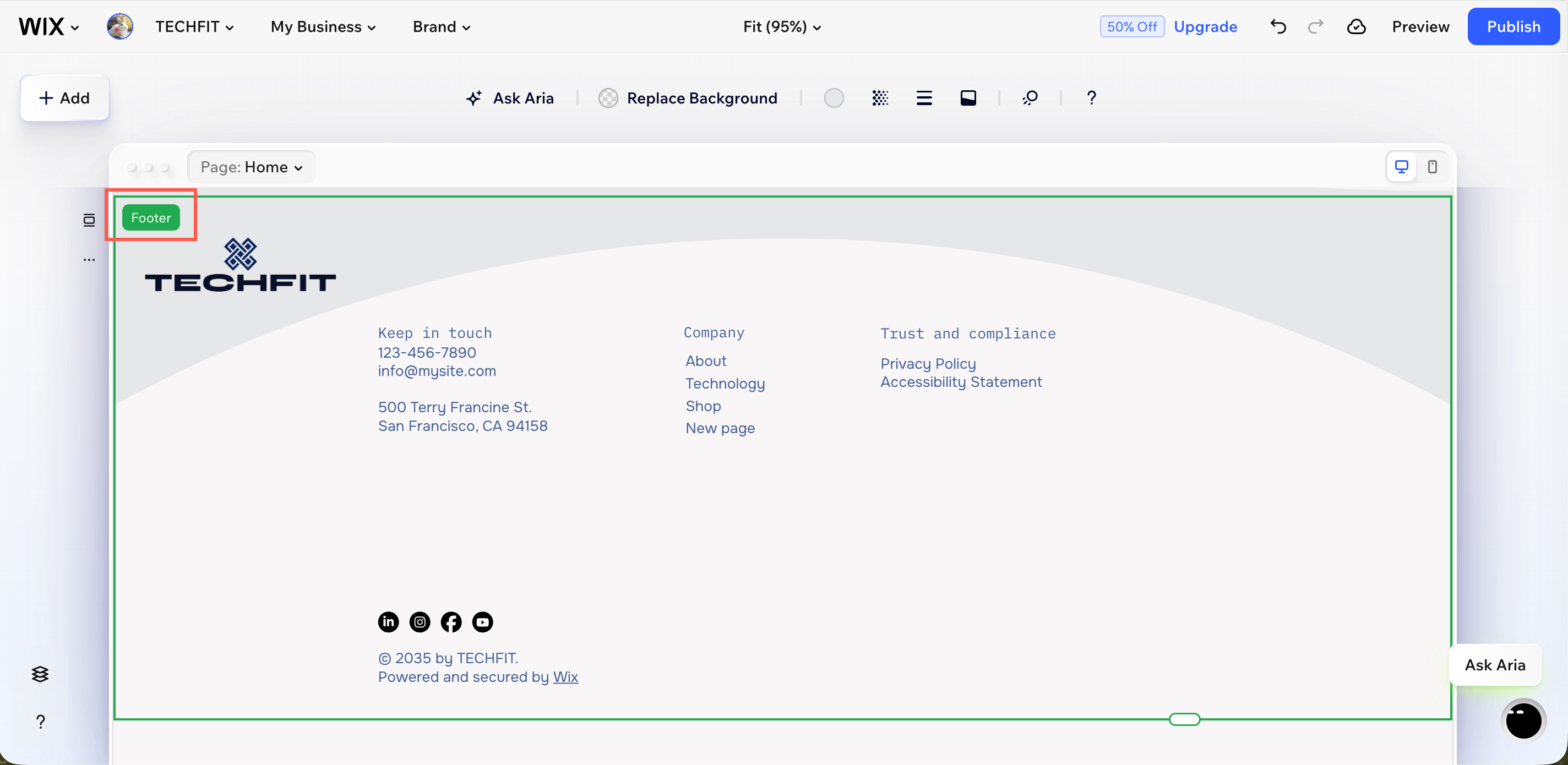
Customizing your site's footer
Personalize your footer's background, borders, dividers, and animation until it reflects your brand. Use the resize handle to make the footer as roomy or minimal as you want. Need to share more info? Make your footer bigger. Prefer a clean, simple look? Keep it small. The choice is yours.
To customize your site's footer:
Click the footer.
Choose what you want to do next:
Design the footer
Choose what you want to customize from the action bar:
Replace background: Click Replace Background to change your footer background by selecting a color, a gradient, an image, or a video.
Colors: Click the Colors icon

to change your footer's colors to one of your site's brand colors.
Opacity: Click the Opacity icon

to adjust the opacity of the section background, image and colors, depending on what your section contains.
Borders: Click the Borders icon

to add or adjust borders around your footer. Change the border’s color, width, and style.
Section divider: Click the Section divider icon

to add or edit a line to visually separate your footer from the rest of the page.
Animations: Click the Animation icon

to make your footer fade in or fade out when the page loads.
Resize the footer
Hold the stretch handle at the bottom of your footer and drag it to the size that works for you.
Hide the footer
Right-click the footer and select Hide footer to remove the footer from this specific page.
Add elements to the footer
Add any elements you wish to the footer. For example, the footer is a great place to share links to your socials or a custom menu to make navigation easier.
Click + Add at the top left of the editor.
Choose the element you want to add, such as Menu.
Drag your chosen element into the footer area.
Position and customize the elements as you like.
FAQs
Click a question below to learn more.
Can I add a section below my footer or make a copy of it?
You can’t add another section underneath your footer or duplicate it — your site has 1 single footer, keeping things simple and consistent.
Can I create different types of footers on my site?
No, every page shares the same footer style and content. That way, your visitors always know where to find your important info.
Should I add a menu to my footer?
While it's not mandatory, we recommend adding a custom menu to your footer as it can help visitors to quickly find important pages that you may prefer hiding from the site menu (e.g. your privacy policy, sitemap, etc.)
It also helps search engines to better understand your site structure, which could improve your ranking in search results.
This article is credited to the Wix team - https://support.wix.com/ and we thank them for that!
