Set an element to show on all pages to use the same element on every page of your site. This is a great way to display content on all your pages without needing to duplicate and customize elements separately.
Showing an element on all pages
You can turn on the Show on All Pages option from each element's right-click menu.
To show an element on all pages:
Right-click the element.
Tip: To access the right-click menu on a Mac, hold the Control key on your keyboard and click the relevant element.
Enable the Show on All Pages toggle.
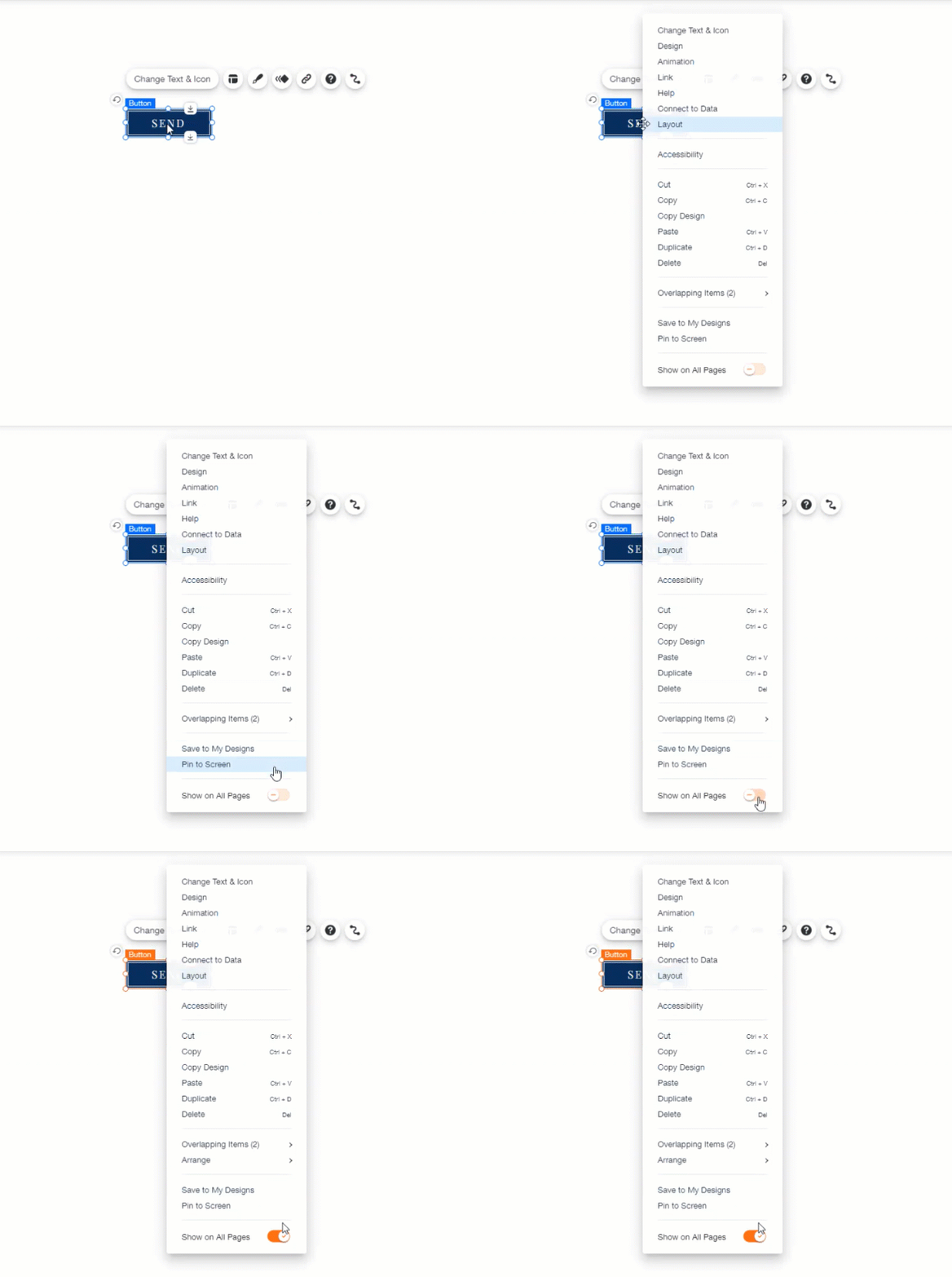
Tip:
You can also click the Show on All Pages toggle from the Editor Toolbar.
More info about displaying elements on all pages
The Show on All Pages toggle is disabled or does not appear when an element appears in certain places. For example, you cannot enable the toggle on elements you've placed inside container elements (box, strip, slideshow etc.).
The Show on All Pages toggle does not appear on:
Repeaters, which are set to only appear on some pages.
Elements you've placed on your site's header or footer. These areas are automatically set to show on all pages.
Apps that are set to be shown on all pages by default (e.g. Wix Chat).
Apps that are set to be shown on one page only (e.g. Wix Stores).
The Members Bar and the elements inside it, since it is set to only appear on some pages.
Notes:
On your mobile site, an element set to show on all pages is part of the header, footer, or mobile menu, depending on the element's location and function. You can move an element between the header, footer and mobile menu.
Pages that have no header or footer do not display elements set to show on all pages.
Elements set to show on all pages on the page body do not appear in the layers panel.
This article is credited to the Wix team - https://support.wix.com/ and we thank them for that!
