Site owners and collaborators can send you Get Feedback links so you can leave comments on their latest work. Add comments directly to the areas of the site you have feedback about so they know exactly what you're referring to. The owner gets notifications so they can work on updating the site right away.
To add your feedback:
Access the Get Feedback app in a desktop browser (not from a mobile device):
From the email: Click View Site from the invite email titled: "You're invited to give feedback on the [site name] website"
From the shareable link URL: In your browser, go to the Get Feedback URL you received from the site owner, collaborator, or teammate.
Browse through the site to review it.
Note: Click Mobile View at the top to review the mobile version of the site.
Click + Add Comments at the top-right.
Click the Comment icon

and drag it to the area you're commenting about.
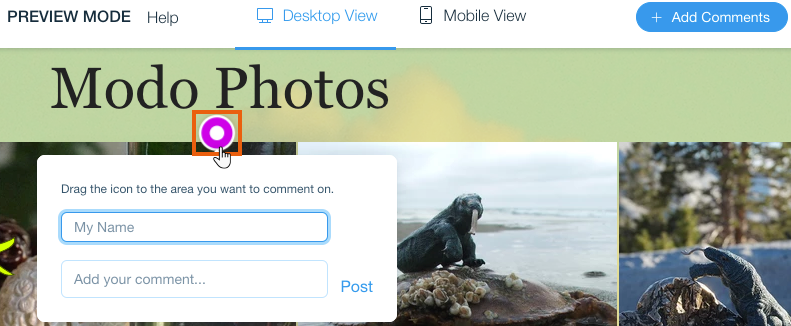
Enter your name in the My Name field.
(If the My Email field appears) Enter your email address so you can receive notifications when the site owner or collaborator replies.
Enter your comment in the Add your comment... field.
Click Post.
(Optional) Repeat these steps to add more comments.
Note:
You do not need to log into a Wix account to add comments.
The Get Feedback Shareable Link URL is valid for 2 weeks only.
The last saved version of a site displays in Get Feedback so you can provide feedback before changes are published.
Protected pages (with passwords or set to members-only) are viewable in Get Feedback.
Site collaborators can only view comments from Get Feedback links they share. They won't see comments posted from Get Feedback links shared by site owners or other collaborators.
This article is credited to the Wix team - https://support.wix.com/ and we thank them for that!
