Copy and paste text from a Word document or another external source to a text box.
Transfer text from external sources to save time and maintain document consistency.
Copying and pasting text
Remove text formatting using the steps below to paste your text efficiently.
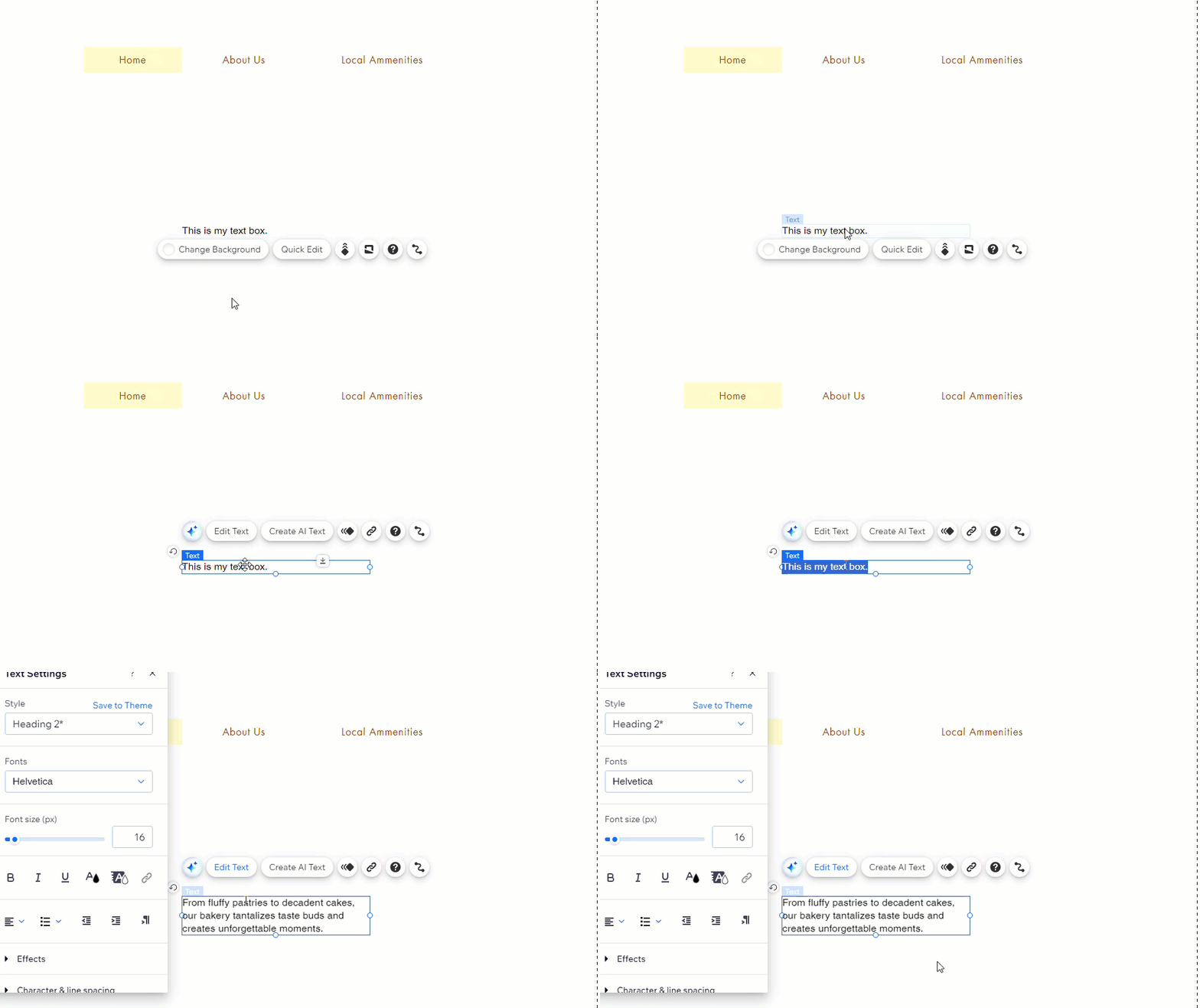
Highlight the relevant text to be copied from the original source.
Press Ctrl + C (Command + C on Mac).
In the Editor, double-click the text box, click where you want the text to be pasted and press Ctrl + Shift + V (Command + Shift + V on Mac).
Troubleshooting formatting issues while copying text
If you are experiencing issues with copying formatted text (bold, underline, italic etc.) from an external source, see our solutions below.
Disable any browser extensions and try again.
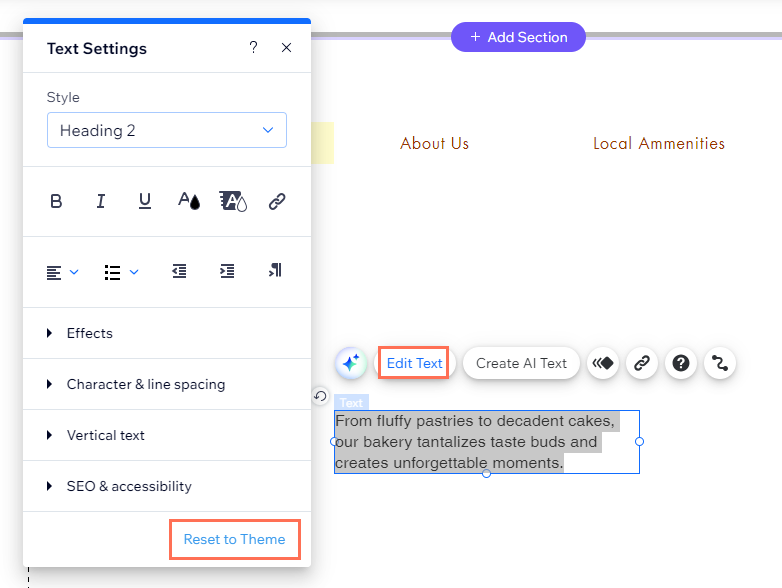
Try changing the text theme to a different one and then revert back to your desired theme.
Click Reset to Theme in the Text Settings panel.
Still need help?
If the text is from an external source, please send us the exact string of text you are attempting to paste (in text) and its font, size and color
If the text is from your site, please send us the exact string of text you are attempting to paste (in text) and its location on your site
The location on your site where you are attempting to paste the text
A screenshot or video of the issue
Once we have the requested information we can assist you further.
This article is credited to the Wix team - https://support.wix.com/ and we thank them for that!
