Save time with your site creation process by uploading your customer's business information and we'll generate and inject content into your custom template automatically.
Once you upload your customer's information, a new site will be created and will appear on your Sites page.
Uploading your customer's business information
Upload a business file which contains information about your customer's business from the Custom Templates page in your Wix Channels dashboard.
Supported files:
Upload your files in any of the following formats: .docx, .pptx, .xlsx, and .pdf
To upload your file:
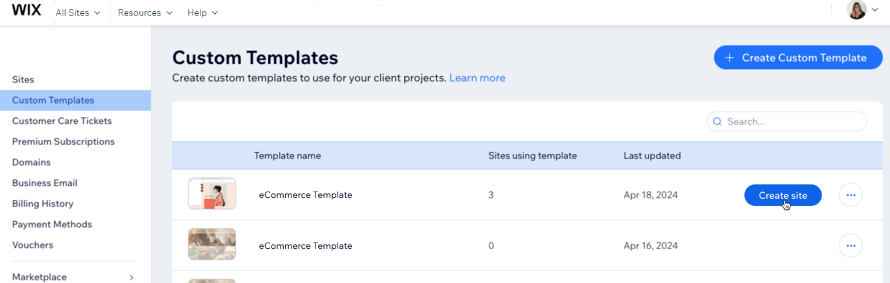
Go to Custom Templates in your Channels dashboard.
Hover over the relevant template and click Create Site to build a new site with it.
Click Generate content.
Click Upload file and select a file from your computer.
Click Create site once the file has been uploaded successfully.
Note: You'll be redirected to your Sites page while your site is being generated.
Note:
It can take a few minutes to create your site. You won't be able to view or edit the site while it is being generated, but you'll get a notification when it's ready. You'll see a Generating content message on your Sites page while the site creation is in progress.
This article is credited to the Wix team - https://support.wix.com/ and we thank them for that!
