See who is on your site in real-time and start chatting with them directly from the Wix app. View information such as the visitor's location, which page they are on, and the exact amount of time they've spent on your site. If the visitor is a registered site member, you can also see their name.
Important:
To chat with your site visitors, you must have the Wix Chat or Wix Smart Chat app installed on your site.
Viewing and chatting with live site visitors
View your live site visitors on your site's dashboard in your Wix app, and communicate with them via Wix Chat or Wix Smart Chat, directly from your app.
The message pops up in the chatbox on your site for the visitor to see and respond to.
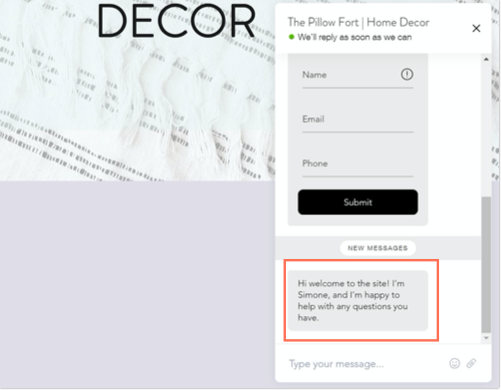
To view and chat with live site visitors:
Go to your site in the Wix app.
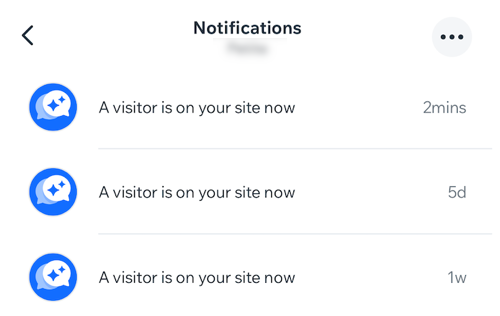
Tap the relevant notification (e.g. "A visitor is on your site now").
Choose what you want to do:
Chat with the visitor
(For Wix Chat) Make sure the Chat status toggle is enabled at the top of the site visitor list so you are online and available to chat.
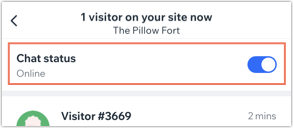
Tap the visitor you want to chat with.
Type your message in the chat and tap Send.
View the visitor's information
Site visitors appear as a number (Visitor #9504) if they are not registered to your site, or as their name if they are site members. To view more information about a visitor:
Tap the visitor you want to view.
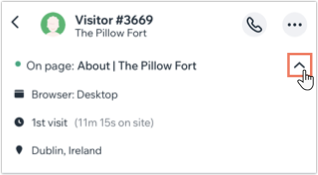
Tap the drop-down next to On Page to view all the available details including the page of your site the visitor is currently on, the browser they're using, their location and how many times they've previously visited.
Troubleshooting live site visitor issues
If you are having trouble viewing or chatting with your live site visitors from the Wix app, try the steps below:
Step 1 | Check that Wix Chat or Wix Smart Chat is enabled on your site
Make sure you have added Wix Chat or Wix Smart Chat to your site. If you don't have Wix Chat or Wix Smart Chat, you won't be able to see your live site visitors.
Note: Publish your site after adding the relevant app.
Step 2 | Check that push notifications are enabled on your device
Make sure you have enabled push notifications for the Wix app on your device (steps differ depending on the device).
Step 3 | Check that new visitor notifications are enabled on the Wix app
Make sure you have enabled live site visitors notifications in the app:
Go to your site in the Wix app.
Tap Inbox

at the bottom.
Tap the More Actions icon

.
Tap Inbox Settings.
Tap Notifications Settings.
(If applicable) Tap Settings to enable app notifications on your device.
Scroll down to Inbox and tap the New visitor on site notification toggle to enable the specific notification.
Still not working?
What information should I include if I need to reach out for assistance?
For us to best assist you, it helps to have the following information ready:
A description of the steps you took before the issue occurred, so we can try to recreate it.
A screenshot of the issue.
(Notification issues) Specify which notifications you're not receiving.
The manufacturer and model of your mobile device (e.g. Apple iPhone 6s, Samsung Galaxy S4).
The operating system of your mobile device (e.g. Android 15).
Your connection type (e.g. WiFi, 4G, 5G) and the name of your mobile network (if using a mobile connection).
Your location.
The version of the Wix app you’re using:
Go to your site in the Wix app.
Tap your profile icon at the top.
Tap About the app under Help & Feedback.
Scroll down to the bottom of the screen and copy the number next to Version.

This article is credited to the Wix team - https://support.wix.com/ and we thank them for that!
