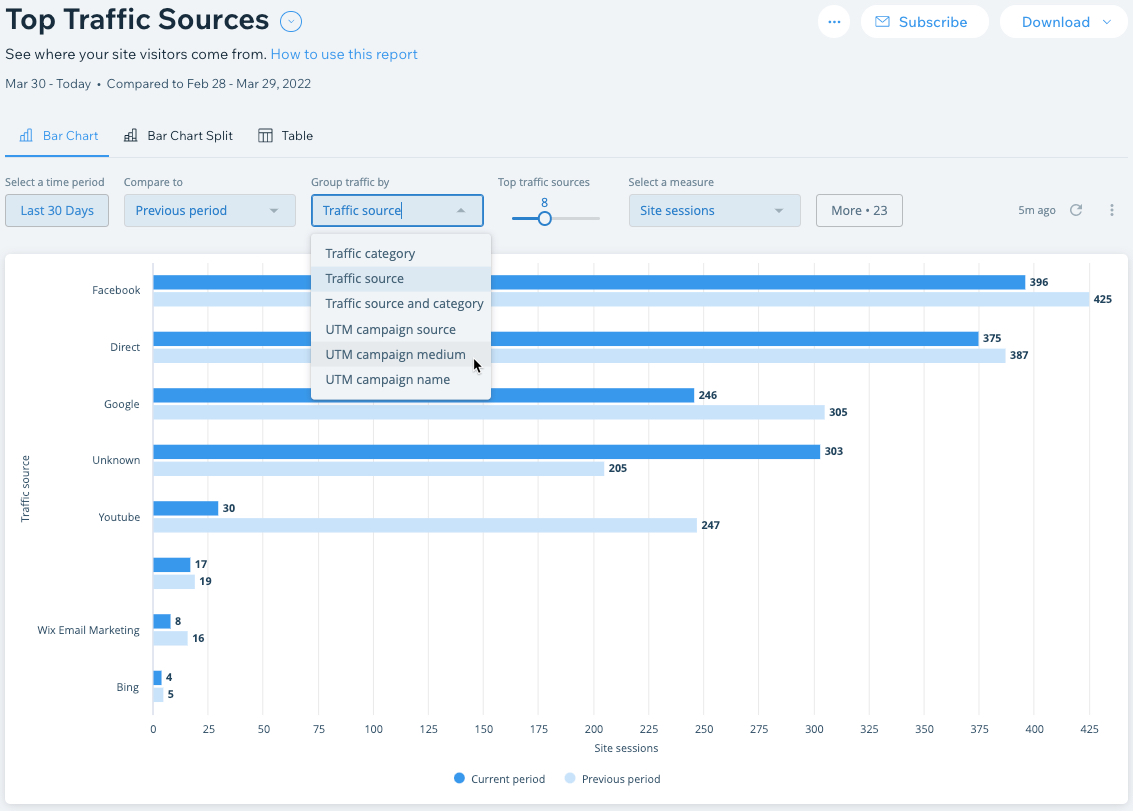
Your visitors may find your site in different ways, such as via search engines, social media, and marketing campaigns. In Wix Analytics, you can view your traffic sources, and find out which campaigns bring the most traffic to your site.
Identifying your traffic sources
Wix Analytics identifies where your site's traffic originates, including URLs, in-app browsers, specific ad IDs, and UTM parameters. Each traffic source is explained below.
URL
A Uniform Resource Locator (URL), also known as a web address, is the most common way to identify a traffic source.
Examples:
A visitor arrives at your site after clicking an Instagram ad: The traffic source URL is instagram.com.
A visitor arrives at your site after clicking a Google search result: The traffic source URL is google.com.
Note:
You can track traffic resulting from paid ads, rather than an organic search results, by using the correct UTM mediums in your campaigns.
In-app browser
When a visitor uses a social media app (such as Instagram or Facebook) and clicks one of your posts, your site can open in a dedicated browser within the app. When this happens, the traffic source data collected is in-app browser, and not the URL.
Specific ad identifiers
Traffic sources can be determined by specific ad identifiers, used by popular ad networks. An ad ID shows which company or service the ad originates from, and is visible in the campaign URL. Each time a visitor arrives at your site, Wix Analytics searches the referring URL for an ad ID.
Examples:
Paid campaigns using Google Ads are tracked using a unique Google Click ID (GCLID). When "gclid" is detected in a referring URL, we know that the traffic source is Google.
Paid campaigns using Bing Ads are tracked using a Microsoft Click ID (MSCLIKID). When "msclikid" is detected in a referring URL, we know that the traffic source is Bing.

UTM parameters
An Urchin Tracking Module (UTM) is a tag added to your site’s URL which identifies the exact source of your site's traffic. The UTM tag is composed of three parts, known as UTM parameters:
Source: The platform the visitor came from. Examples: Facebook, Google, Bing, email.
Medium: How the visitor reached your site. Examples: An advert, email, or organic search.
Campaign Name: The name of the campaign, as defined by the campaign creator.

The URL is connected to the UTM with a question mark ( ?) and the UTM parameters are connected with ampersands ( &).

Tracking campaigns with UTM tags
When you use Wix Email Marketing or Facebook Ads by Wix, the UTM tag is added automatically to the URL. You can also manually add UTM tags to URLs in other marketing campaigns.
It's advisable to use UTM tags for the following campaigns:
Paid social: Facebook Ads, Google Adwords, Youtube ads.
Organic social: Posts on any social media channel not connected to paid campaigns.
Email marketing: Your own campaigns, as well as mentions in partnership emails.
Referrers: eBooks, websites directing traffic to your site, and more.
Using UTM mediums for different traffic categories
In order to identify your traffic sources correctly, you should use UTM mediums recognized by Wix Analytics. For example, a paid ad on a social media platform should have the word ‘paid’ as a UTM medium.
In the table below, you can see how site traffic is categorized, a definition for each category, UTM sources and mediums, and UTM examples.
Traffic category | UTM source | UTM medium | UTM example |
Paid Search: Visitors that clicked a paid search ad. | cpc, ppc, paidsearch Note: Links with "gclid" are also classified as Paid Search. | utm_source=google&utm_medium=ppc&utm_campaign=mysearchcampaign | |
Paid social: Visitors that came from a paid post on social media. | cpc, ppc, cpm cpv, cpe, cpa, cpl, cpi, or contains the word ‘paid’ | utm_source=Instagram&utm_medium=cpe&utm_campaign=mysocialad | |
Facebook Ads by Wix: Visitors that came from a paid social media post that was created with Wix. | cpc Note: The UTM link is added by Wix | utm_source=Facebook&utm_medium=cpc&utm_campaign=fbadsbywix | |
Organic social: Visitors that came from a post on social media that isn’t a part of a paid campaign. | utm_source=Facebook&utm_campaign=mysocialpost | ||
Email: Visitors that came to your site through an email marketing campaign. | utm_medium=email&utm_campaign=myemailcampaign | ||
Wix Email Marketing: Visitors that came to your site through an email marketing campaign created with Wix. | So (shoutout) | Note: The UTM link is added by Wix | utm_source=so&utm_campaign=myWixemailcampaign |
Organic Search: Visitors that clicked an organic search result (not a paid ad). | |||
Referral: Visitors that clicked a link on another website (not search engines or social media). | No parameters needed | ||
Direct: Visitors that typed your site address directly into their browser, without clicking any link. | No parameters needed |
Recognized search engines and social media domains
Wix Analytics recognizes traffic data from the search engines and social media domains detailed below.
Search engine domains
Alice, AOL, Ask, Auone, Avg, Babylon, Baidu, Biglobe, Bing, Centrum.cz, CNN, Daum, DuckDuckGo, Ecosia, Hurryiet, Eniro, Globo, go.mail.ru, Google, goo.ne.jp, Kvasir, Haosou, Lycos, Mamma, MSN, Mynet, Najdi, Naver, ONET, Rakuten, Viber, search.smt.docomo, Sesam, Seznam, So.com, Sogou, Startsiden, Terra, Tut.by, Ukr, Virgilio, Wirtualna Polska, Yahoo, Yandex, Yam, Qwant.
Social media domains
Renren, Pinterest, Facebook, Tumblr, Blogspot, Twitter, Google, Youtube, Yelp, Xing, SoundCloud, Twitch, Instagram, Linkedin, Livejournal, Reddit, VK, TikTok, WhatsApp.
This article is credited to the Wix team - https://support.wix.com/ and we thank them for that!
