With Subscriptions reports you can explore sales, the status of pricing plans and product subscriptions, and recurring invoices. Find out which of your subscriptions generate the most revenue, expected revenue from in the next six months, which subscriptions are due to expire, and more.
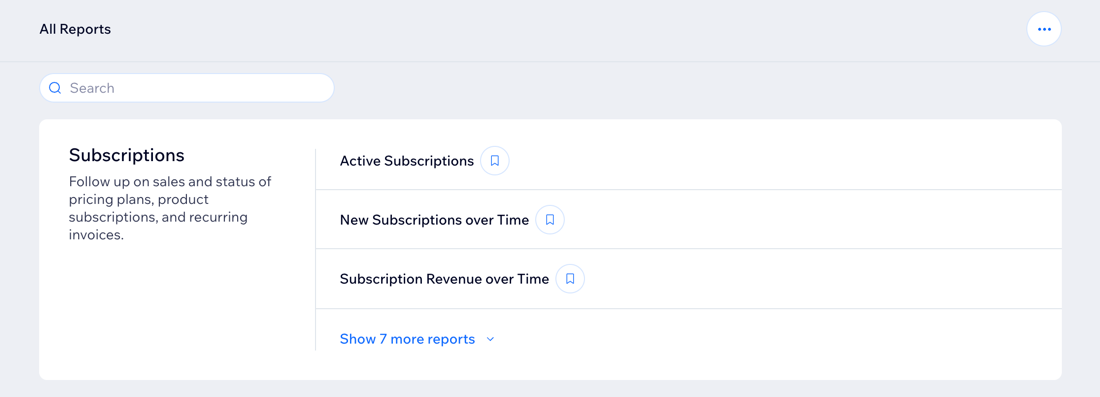
How to access your Subscriptions reports:
Go to All Reports in your site's dashboard and scroll down to the Subscriptions section. You can also check out the Subscriptions Overview to view all the key metrics for your business.
Types of Subscriptions reports
Access the report you need to gain insights into your subscriptions and revenue trends. Analyze active subscriptions, revenue, new subscriptions, and more to understand their performance better.
Click a report type below to learn more about it:
Active Subscriptions
The active subscriptions report allows you to get a breakdown of subscriptions to your services and products.
Use this report to:
See which subscriptions are most popular.
Understand how different subscriptions are doing to improve your offerings and marketing efforts.
New Subscriptions over Time
The new subscriptions over time report allows you to compare subscription sales over different time periods.
Use this report to:
Watch how new subscriptions are growing and spot any trends or unusual changes.
Measure the success of marketing campaigns by looking for increases in subscriptions when campaigns run.
Subscription Revenue over Time
The subscription revenue over time report lets you find out how much revenue is generated from subscriptions over different time periods.
Use this report to see:
Total subscription revenue.
Analyze one-time payments revenue (i.e. money earned from single-payment subscriptions).
Recurring payments: Money earned from recurring payments for existing subscriptions, not including first payments.
First payments: Money earned from first payment instances of recurring plans.
Revenue by Subscription
Your revenue by subscription report shows which subscriptions bring you the most revenue.
Use this report to see:
Total revenue by subscription name.
One-time payments revenue: Money earned from single-payment subscriptions.
Recurring payments: Money earned from recurring payments for existing subscriptions.
First payments: Money earned from first payment instances of recurring subscriptions.
New Subscriptions
The new subscriptions report lets you discover which pricing plans and products gained the most subscriptions over different time periods.
Use this report to:
Find out which pricing plans and products are popular.
Compare how new and old pricing plans and products are performing so you can make adjustments if needed.
Expected Revenue from Recurring Payments
Use your expected revenue from recurring payments report to see how much revenue you're expected to receive from active subscriptions over the next six months.
Use this report to:
Know your expected revenue from subscriptions.
Adjust your strategies if the expected revenue is lower than desired.
Notes:
This report shows expected revenue from recurring subscriptions that are currently active. New subscriptions and subscriptions that might be cancelled before their end date are not taken into account in this report.
This report only shows expected revenue for the next 6 months. It does not include expected revenue for the current month.
Expiring Subscriptions
Use the expiring subscriptions report to find out which subscriptions are expiring soon or have already expired.
Use this report to:
Find which customers have expiring subscriptions to offer them renewal deals.
Prepare for big drops in active subscriptions and find ways to prevent it.
Ended Subscriptions Breakdown
Use this report to find out if subscriptions expired, were canceled, or discontinued due to failed payments.
Use this report to:
See the number of subscriptions by the type of ending reason: canceled by business, canceled by client, payment failed, or expired.
Spot trends in why subscriptions end.
Want to customize your report?
You can customize the data you're viewing and the way it's displayed. You can also save the views you want to return to later. Learn more about customizing your report.
This article is credited to the Wix team - https://support.wix.com/ and we thank them for that!
