If you're experiencing difficulties connecting a third-party payment provider, you may be able to fix the issue by addressing the most common reasons.
Click the issue you are having below:
I can't see the provider I want in the Accept Payments tab
There are 2 main reasons for payment providers not appearing in the Accept Payments tab:
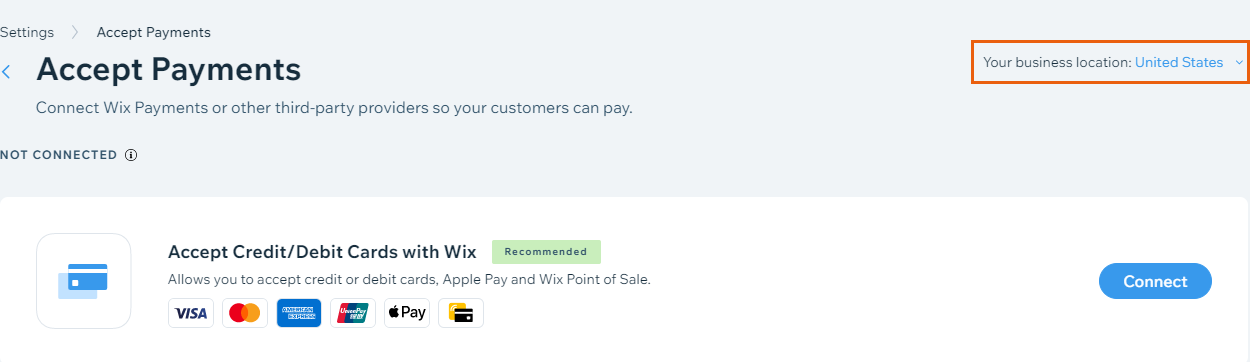
Different payment providers are available in different locations. Check our list of available providers to make sure your desired provider is available in your location.
Tip: Change your business location in the Accept Payments tab, by using the dropdown menu.
If you began onboarding with Wix Payments, you may have selected a prohibited product or service. If so, this may remove the option to onboard with other payment providers who prohibit similar items.
For more information, please see our checklist for restricted products & services when setting up your payments.
If you mistakenly completed a CBD declaration, or selected a restricted product/service and want to connect a specific provider, please contact Wix Customer Care.
I am having trouble connecting using my credentials
The connection method may vary depending on your provider. Providers usually require API Keys - available through your provider account - to connect your account to Wix.
Alternatively, you may need to enter the email address and/or password used to create your provider account.
For help on how to connect your desired payment provider, or how to retrieve your credentials, please contact your provider directly.
Note: If you've recently created your provider account, they may need time to verify your account before it becomes fully activated.
I see an error message when trying to connect my provider
If you're having trouble connecting your payment provider, you may see the following error message "This payment provider is currently unavailable. Reload the page and try again."

If you see this message, try the following steps to resolve the issue:
Refresh the page and try connecting again.
Clear your cookies and cache and try connecting again.
Make sure your credentials are correct.
Make sure your provider account is in active mode (not test mode).
Check with your provider that there are no holds or restrictions on your account.
Check that your currency is matched. The currency used in your payment provider account must match the currency that you set in your Wix site. To change currency, either:
Learn how to change your currency in Wix.
Contact your provider to change currency settings in their platform.
Note: Some payment providers, such as PayU India, require your account to be created using a specific connection available through Wix.
This article is credited to the Wix team - https://support.wix.com/ and we thank them for that!
