You can move a domain purchased from Wix to a different Wix account whenever necessary. This helps you manage your domains more efficiently, especially if you have multiple accounts or want to hand over a project to someone else.
Note:
Some domain extensions (.at, .ch, co.at, .de, .it and .or.at) can only be transferred along with the entire site.
Transferring a domain purchased from Wix to a different Wix account
Go to Domains in your Wix account.
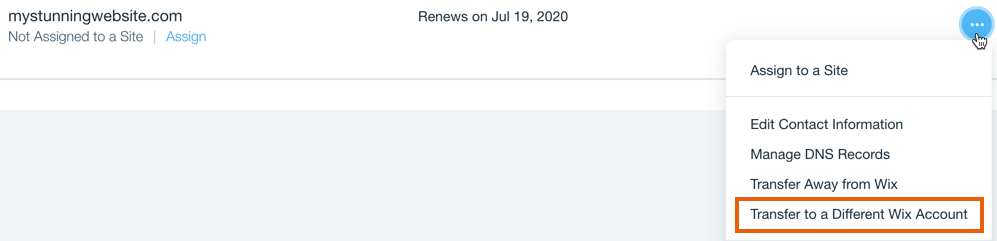
Click the Domain Actions icon

next to the relevant domain.
Click Transfer to a different Wix account.
Enter the email address and password of the Wix account where you're transferring the domain.
Click Transfer Domain.
What's next?
Make sure to extend the domain's registration in the new Wix account to prevent it from expiring.
You might also need to update the domain registrant information.
FAQs
Click a question below to learn more about transferring domains.
Can I move a domain not purchased from Wix to a different Wix account?
Sure, learn how to move a domain not purchased from Wix to another account.
Can I transfer a site with a plan and a domain to another Wix account all in one go?
Yes, you can transfer a website to another Wix account with its assigned Premium or Studio plan, domain, and business email. This option may suit your needs better if you prefer to transfer all of them together.
This article is credited to the Wix team - https://support.wix.com/ and we thank them for that!
