Hopp by Wix is a powerful platform designed for content creators, influencers, and businesses who want to maximize their reach and create impactful social media experiences. Whether you’re promoting products, sharing content, or driving engagement, Hopp offers 4 main tools that work together to amplify your brand and connect with your audience.
From your Hopp account, you can create a link in bio page, set up an instant page, shorten long URLs, and set up pre-rolls that show content to followers before reaching the link they clicked.
Ready to get started?
Learn more about setting up an account.
Learn about Hopp by Wix
Hopp brings all your social media and marketing tools under one roof, making it easy for you to share content creatively and effectively. You can use these tools individually or combine them for even greater impact.
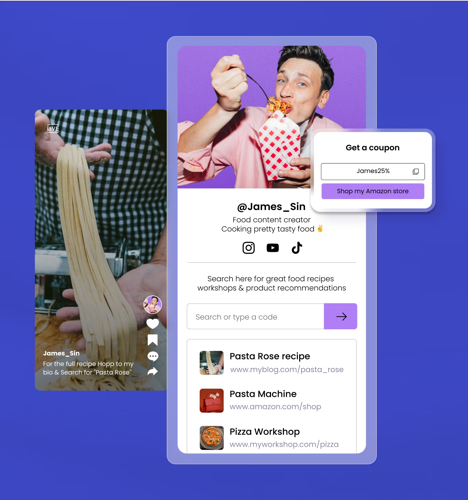
Link in bio: Create a hub for your followers using a customizable mini website. Create multiple pages, add products, links, content blocks, and search functionality to provide a seamless experience.
Short links: Transform long URLs into branded, shareable links that are easy to track.
Instant pages: Quickly build standalone mini landing pages for campaigns, product launches, or time-sensitive promotions.
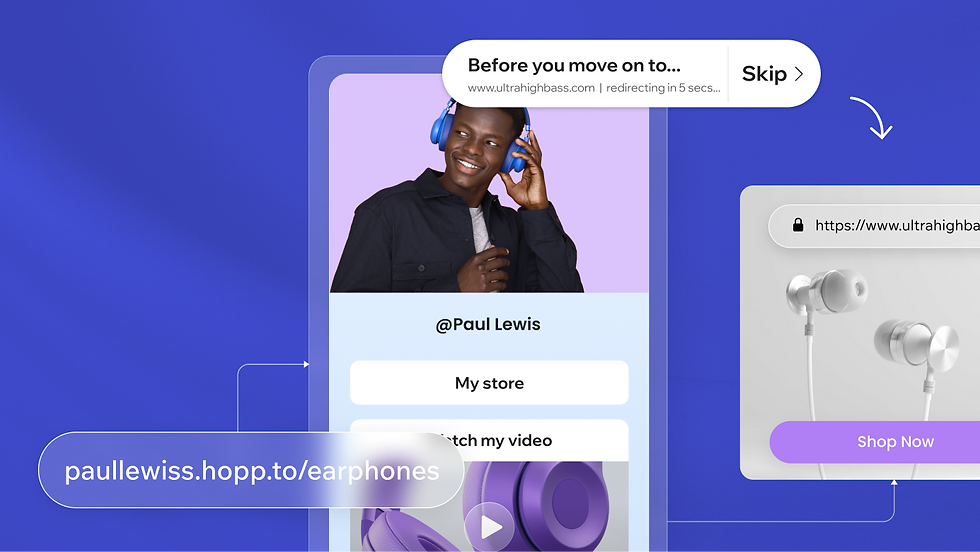
Pre-rolls: Insert branded content, such as videos or sign-up forms, before users reach their target page. Like a video pre-roll ad, for your links.
Link in Bio
The link in bio feature turns your social media profile into a dynamic business hub. Replace the standard social media link with an interactive page your audience can explore.
Key features of a link in bio include:
Multiple page navigation: Create multiple pages or categories to help your fans navigate your offerings in an organized and efficient way.
Interactive blocks: Add content blocks that promote products, services, blog posts, or anything you want to highlight.
Social media icons: Display your social media profiles as icons to encourage cross-platform engagement.
Custom design: Tailor the layout, colors, and imagery to match your personal or business branding.
Search functionality: Add a search bar to let users easily explore content or find specific products using a link title search or custom keywords.
Shorten links
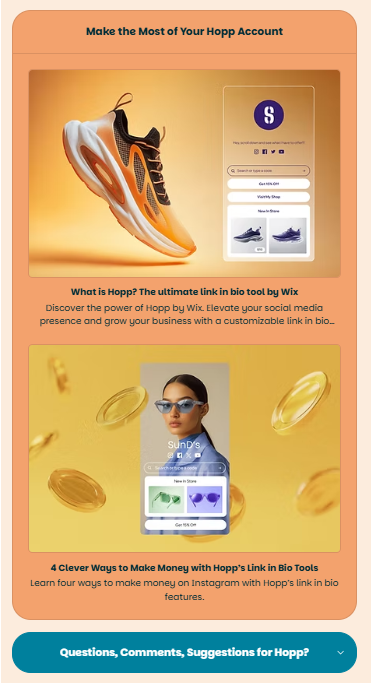
The short links tool lets you create branded, trackable links that are perfect for sharing online and monitoring campaign success. By shortening long, complex URLs, you ensure every link you share is both professional and easy to remember.
Use short links to:
Simplify and customize URLs to represent your brand.
Track clicks and see where your audience is engaging.
Access all the links used in your YouTube video descriptions for better campaign management.
Instant Pages
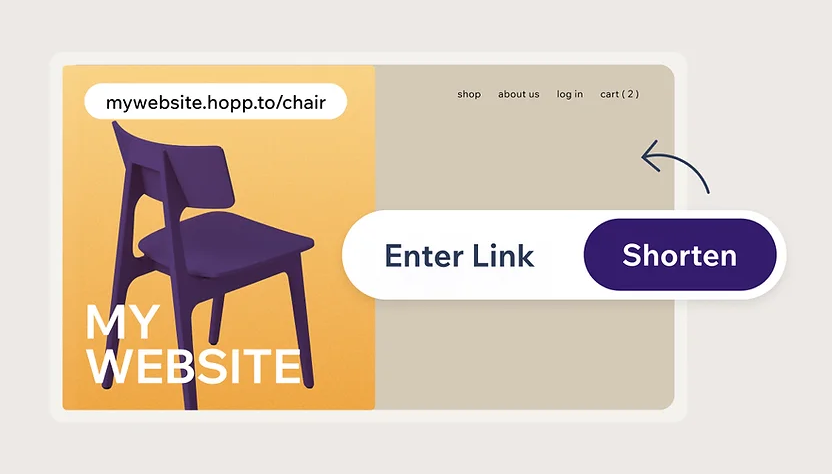
Instant pages are single-use web pages designed for quick setup and effective engagement. They’re an ideal solution for promoting temporary campaigns and driving conversions, without needing to update your entire website or have constant maintenance.
Key features of instant pages include:
Quick creation and sharing: Build and share pages effortlessly, no technical expertise required.
Focused design: Create targeted pages specifically designed to promote limited-time offers, events, or product launches.
Ideal for temporary promotions: Perfect for campaigns with shorter lifespans, such as event announcements or flash sales.
Drive traffic and conversions: Designed to lead your audience to take action, whether it’s making a purchase, RSVPing, or signing up.
Virtual contact cards: Create a custom contact card that’s easy to share while you network and allows potential customers to save your contact information with one click.
Pre-rolls
Enhance your audience’s journey with pre-rolls. This feature lets you add branded content to any link you share, capturing attention before users land on their intended page.
Use pre-rolls to:
Show potential customers a backpack in your Wix Store before they view your hiking blog.
Show a video of you explaining a product or service before site visitors purchase or book.
Show a coupon to your followers before landing on a product page.
Tip:
Your audience will also have the ability to skip the pre-roll and instead be brought directly to their intended link destination.
FAQs
Click a question below to learn more about the Hopp tools.
How can I upgrade to a Hopp Pro plan?
Take full advantage of Hopp’s wide array of tools. To upgrade to a Hopp plan:
Go to hopp.co and log in.
Click Upgrade or Start Free Trial when prompted.
Select your desired plan and billing cycle.
Go to checkout to complete your payment.
Click Get Started to begin using your Pro features.
Learn more about managing your Pro plan.
I already have a Wix site. Can I create a link in bio page from my Wix account?
Yes, you can create a Hopp link in bio page directly from your site’s dashboard, under the Site & Mobile App tab, and connect it to your Wix website. To do this, make sure you have one of the following roles:
Site Owner
Admin
Website Manager
Website Designer
Can I connect my link in bio page to my Wix site?
Yes, you can integrate your link in bio with your Wix site. This allows you to sync contacts and subscribers, stores, services, blogs and more, as well as manage your site directly from Hopp.
Go to hopp.co and log in.
Click Tools on the left.
Select Wix Site.
Click Connect Existing Site.
Select the site you want to connect.
Click Connect Site.
Note: If you don't have a Wix site, click Create New Site to start creating a site from scratch.
Can I add more collaborators to my Hopp account?
Yes, you can add collaborators to your Hopp account.
Go to hopp.co and log in.
Click your business name or profile picture in the top right corner.
Select Manage Hopp Accounts from the dropdown menu.
Click the More Actions icon

to the right side of the Hopp account you want to add collaborators to.
Click Add Collaborator from the menu.
Click Invite Collaborator at the top of the page.
Add the collaborators Wix email (or use any email—non-Wix users will be prompted to sign up).
Click Send Invite.
Ask the collaborator to accept the invite via email.
Can I create multiple accounts using Hopp?
Yes, Hopp allows you to create and manage multiple accounts under a single login. This is perfect for managing pages for your personal brand, business, or even partners.
Who can benefit from using Hopp?
Hopp is a flexible platform that supports individuals and businesses looking to boost their online presence, streamline marketing, or create a professional digital hub.
Just a few examples of users who can benefit from Hopp include:
Affiliate marketers looking to track and share links effectively.
Consultants who want an easy way to manage and engage clients.
Parenting influencers aiming to connect their audience to resources and tips.
Fashion bloggers showcasing their latest looks and affiliate partnerships.
Journalists sharing their stories and increasing readership.
Food enthusiasts and creators sharing recipes, videos, and more.
Realtors, looking for a quick way to share their online presence, contact info and listings.
How does "Hopp.site" differ from "Hopp.co"?
Hopp.site allows you to launch your own mini website in no time. Easily create and customize it to showcase all you have to offer, without a huge budget or time investment.
Hopp.site shares most of the features of hopp.co, but is geared towards mobile-first business on small budgets, mainly in the South East Asia and African regions.
This article is credited to the Wix team - https://support.wix.com/ and we thank them for that!
