Business email subscriptions are set to renew automatically at the end of the subscription period. You can turn off the auto renew setting if you do not wish for it to renew.
To check the renewal date of your business email subscription:
Go to Premium Subscriptions in your Wix account.
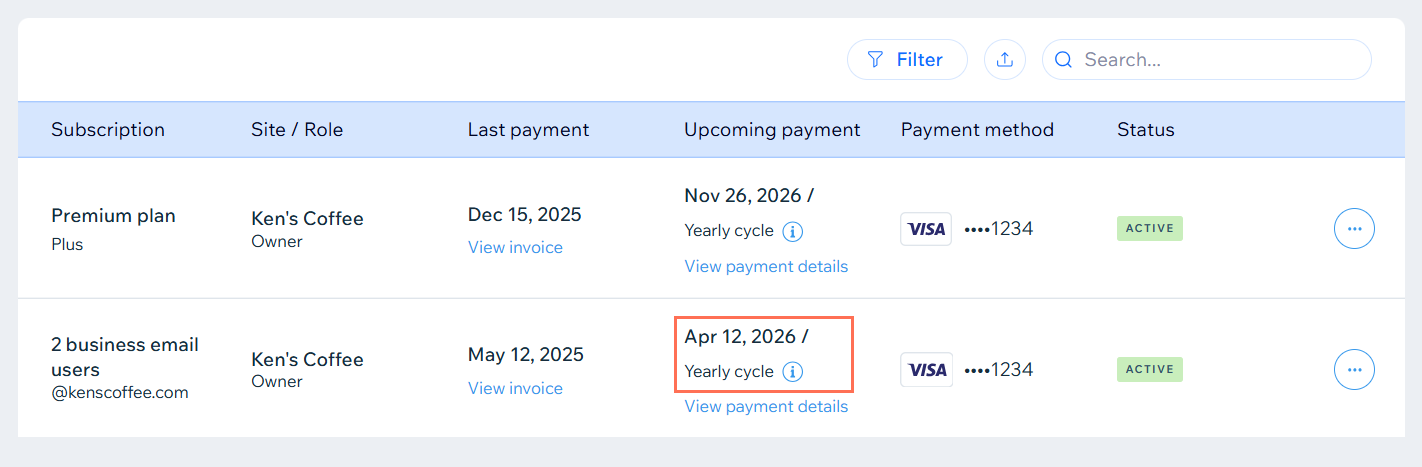
Check the Upcoming payment column next to your subscription.
Renewal Date vs. Expiration Date
The Upcoming payment column shows the date of your next renewal payment. This date may differ slightly from the expiration date if you have turned auto renew off. Hover over the Info icon

to learn more.
This article is credited to the Wix team - https://support.wix.com/ and we thank them for that!
