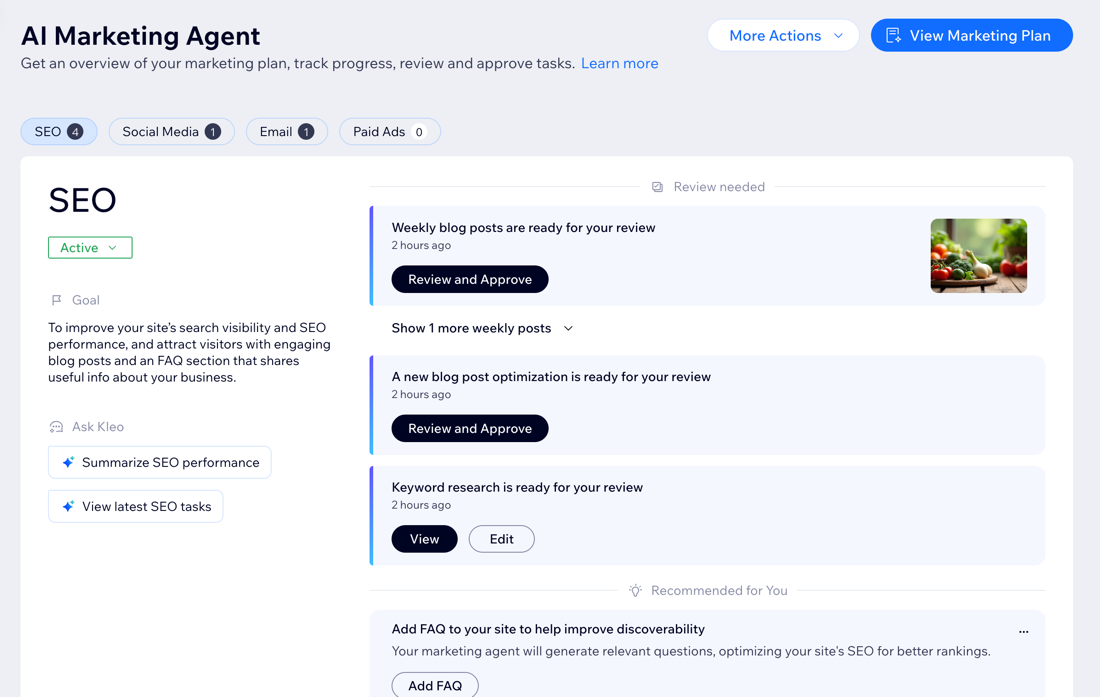
The SEO function in the AI Marketing Agent helps you improve your site’s visibility on search engines. It analyzes the content of your site, identifies key themes and topics, and extracts keywords that have a high potential to connect with your target audience.
This takes the guesswork out of SEO, making optimization accessible to everyone, no matter their familiarity with search engine strategies.
Important:
Before setting up your SEO plan in the AI Marketing Agent, you need to set your site's location, connect to Google Search Console, and turn on site indexing.
How SEO in the AI Marketing Agent benefits your business
The AI Marketing Agent’s SEO functionality works seamlessly to support your business goals by:
Driving relevant traffic: By recommending high-performing keywords, SEO attracts the right audience searching for products or services you offer, boosting organic traffic.
Saving time: Automating complex SEO tasks so you can focus on running your business.
Simplifying SEO: Avoiding jargon-heavy workflows, making advanced strategies accessible to all business owners.
Maintaining your brand authenticity: Aligns suggested keywords with your core values and audience’s identity.
Suggesting keywords: Suggesting keywords based on your site’s content and audience objectives.
Providing optimization insights: Identifying opportunities to fine-tune existing keywords using tools like keyword density analysis.
Why keyword research matters
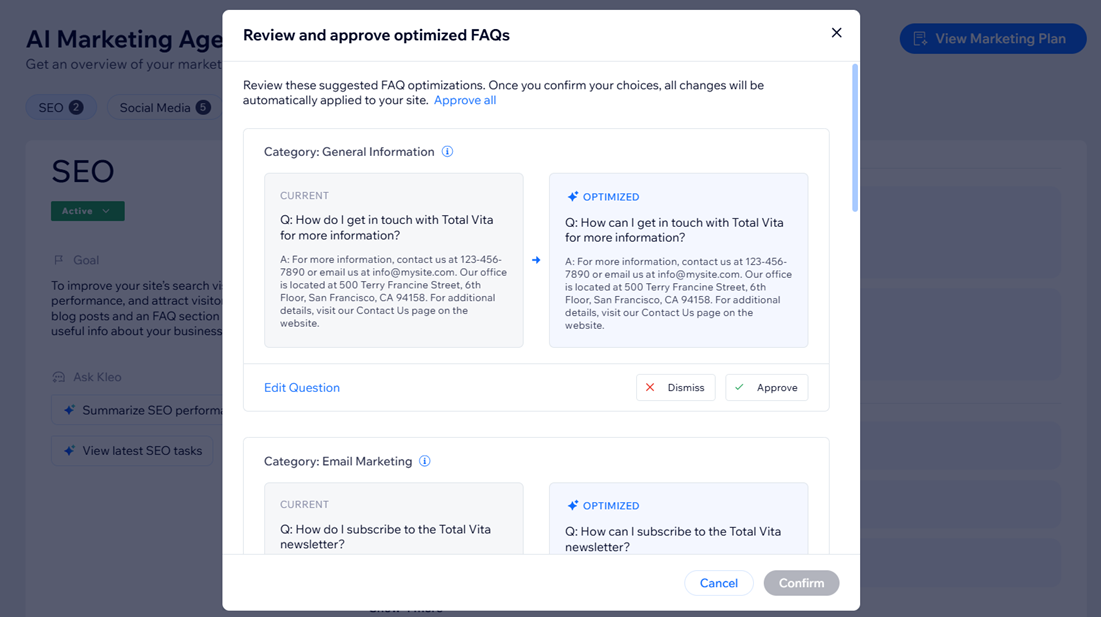
Strategic keyword usage is essential for reaching the right audience. Keywords act as a bridge connecting your site to potential visitors searching for specific terms.
Key elements of an effective keyword strategy include:
Balancing branded and generic keywords: Branded keywords help establish your identity, while generic keywords attract a broader audience.
Adding location-specific keywords: By incorporating location-specific keywords in your SEO strategy, you ensure your business resonates with people searching within your geographical area.
Avoiding keyword stuffing: Focus on natural placements within content to maintain relevance and a quality over quantity approach.
By harmonizing these elements, the AI Marketing Agent's SEO capabilities ensure that your content aligns with your audience's search behavior.
How keyword analysis works
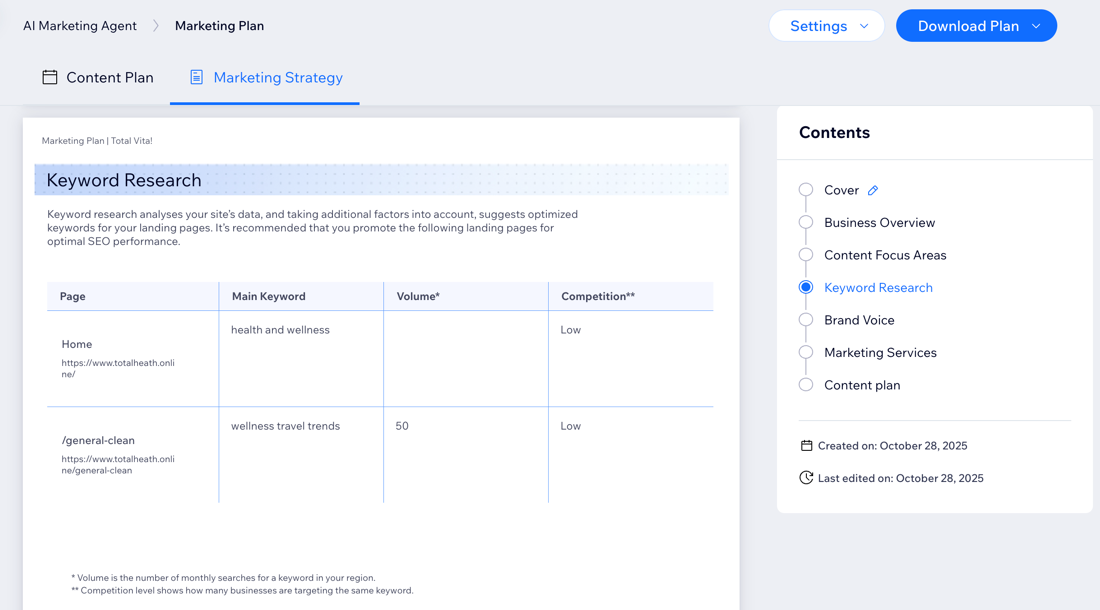
Not all keywords are created equal. The AI Marketing Agent's SEO capabilities ensures that the keywords it suggests are not only relevant to your business but also impactful when it comes to search engine rankings. It accomplishes this through keyword validation, which involves checking:
Relevance to your audience: Verifies that the keywords align with the products, topics and services offered on your site.
Search volume: Ensures the keyword is being actively searched by users.
Competition level: Measures how many other sites are using the same keyword. The goal is to balance your keywords with high search volume and manageable competition.
You can also validate these suggested keywords through third-party research tools. This adds an additional layer of assurance and allows you to fine-tune keywords before you implement them.
Adding location-based & branded keywords
Enhancing your keywords with location and branding adds depth to your SEO strategy and makes search ranking more specific, helping you attract audiences that are most likely to convert into customers.
Location-based keywords:
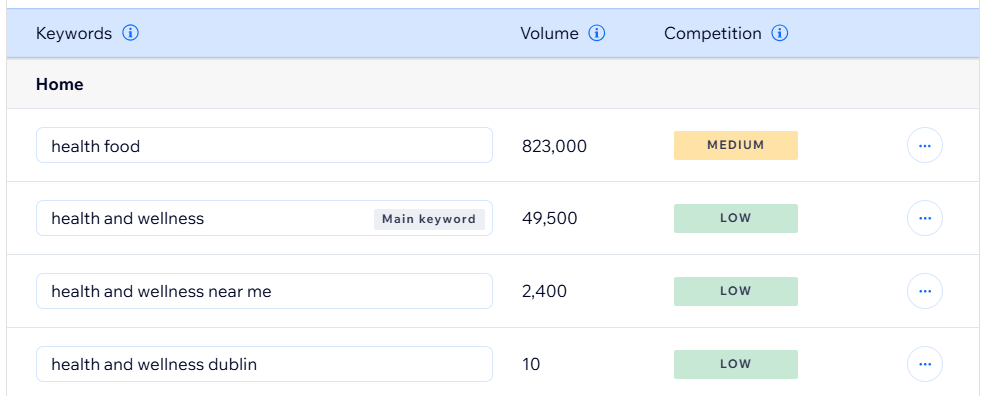
Reaching users in your area is crucial for local SEO. Here are some examples of location-based keywords you can apply to your SEO strategy:
Transform 'Italian cuisine' into 'Italian cuisine in New York' to draw visitors searching for New York-specific dining options.
Include words like 'near me' in your keywords to capture mobile traffic looking for nearby solutions.
Branded keywords:
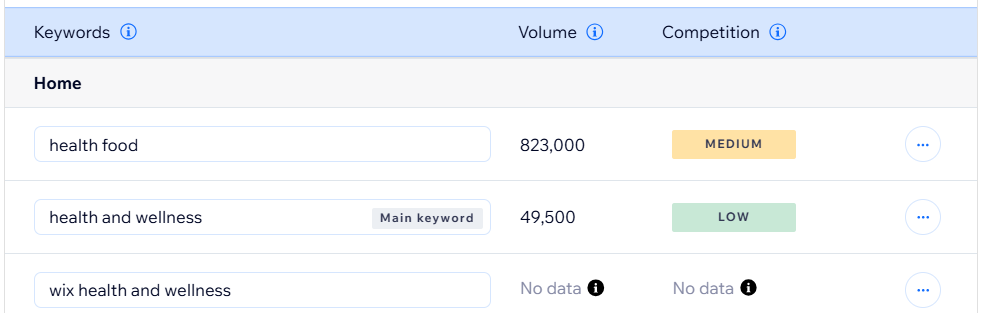
Incorporating your brand name or unique product identifiers ensures that searches for specific branded terms point directly to your business instead of competitors. For example, instead of using the keyword 'marketing tools' in an SEO strategy, using 'Wix marketing tools' could boost search result rankings.
Editing keywords and making adjustments
Keyword optimization is an ongoing process of refinement. The AI Marketing Agent gives you flexibility when it comes to editing and refining your keywords.
You can update keywords based on changes to your business goals, market trends, competitor analysis, or insights from other keyword research tools.
To edit keywords:
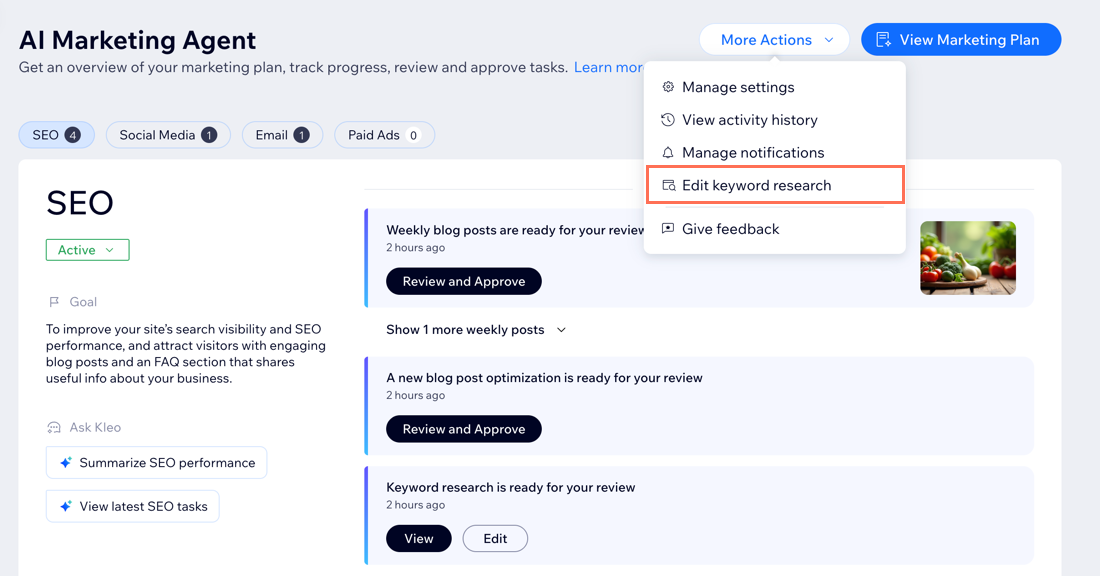
Go to the AI Marketing Agent in your site's dashboard.
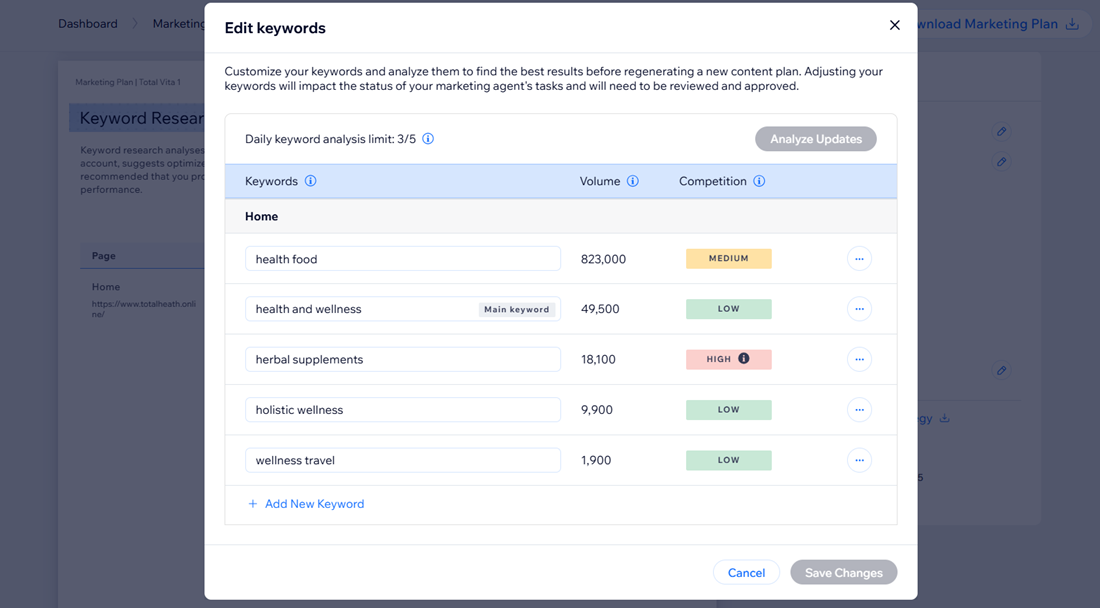
Click the More Actions drop-down at the top and select Edit keyword research.
Tip: If you're on the Marketing Plan page, click Settings at the top and select Edit keyword research.
Choose what you want to do:
Add a new keyword
Click + Add New Keyword.
Enter a name for the keyword into the text field.
Click Analyze Updates to see the keyword's values.
Click Save Changes.
Click Save and Continue.
Change a keyword
Click the relevant text field under the Keywords column.
Edit the keyword.
Click Analyze Updates to see the keyword's values.
Click Save Changes.
Click Save and Continue.
Set as main keyword
Click the More Actions icon

next to the relevant keyword.
Click Set as main keyword to focus your SEO efforts on ranking this keyword higher in search results.
Click Save Changes.
Click Save and Continue.
Delete a keyword
Click the More Actions icon
.
Click Delete to remove the keyword from your marketing plan.
Click Save Changes.
Click Save and Continue.
FAQs
Click a question below to learn more about improving your keyword research with the AI Marketing Agent's SEO tools.
How can I ensure my keywords are targeting the right audience?
Use the analysis tools within the Keyword Research menu to review search volume and competition. Additionally, experiment with different keyword types (e.g., branded vs. generic) to see what resonates most with your audience.
Can I change the keyword recommendations from the AI Marketing Agent?
Yes. You can adjust the suggested keywords or replace them with options from your own research.
What happens if the recommended keywords don’t perform as expected?
Revisit your keywords based on performance metrics and make adjustments where needed, using insights from third-party tools or platform analytics.
Is there a limit to how many keywords I can analyze?
Yes, analyzing keywords is limited to 5 changes per day.
This article is credited to the Wix team - https://support.wix.com/ and we thank them for that!
