Important:
This article refers to the original Wix Hotels app. If you are using the new Wix Hotels by HotelRunner, read this article. Learn how to check which version of Wix Hotels you are using.
Add clear and concise hotel policies so your guests can book with confidence. With Wix Hotels, you can add 2 policies:
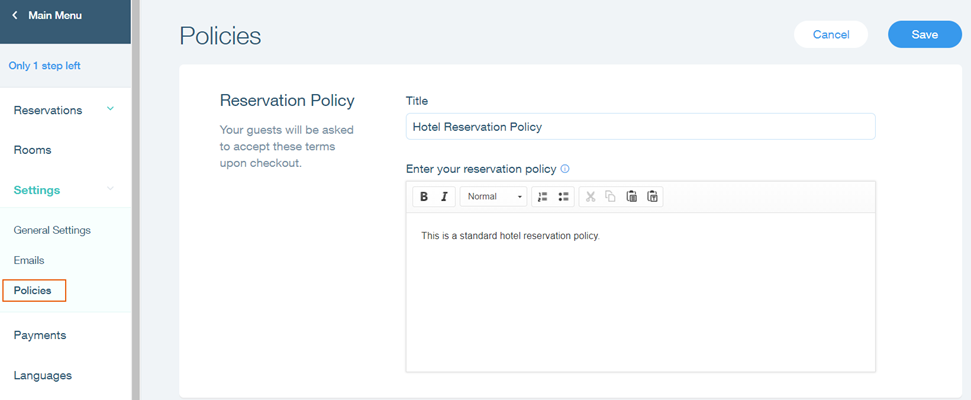
A reservation policy: This is your hotel's general reservation policy. It usually includes information about payment terms, check-in and check-out times, and anything else you want guests to know.
A cancellation policy: This policy should include anything you want guests to know about cancellation; how long in advance they need to cancel to receive a full refund, how much they need to pay if they cancel last minute etc.
To add your hotel policies:
Go to your site's dashboard.
Click the Hotels tab on the left.
Click the Settings tab.
Click Policies.
Add your reservation and cancellation policies.
Tip: Use the text editing toolbar to change the font, formatting and alignment of your policy text.
Click Save.
Tip:
Follow the guidelines below when creating your policies:
Keep the policy clear and concise.
Use simple language and avoid jargon.
Do not use abbreviations.
This article is credited to the Wix team - https://support.wix.com/ and we thank them for that!
